
Cross Sections of Prisms: Dynamic Exploration and Construction
Loading the math board and drawing, please wait…
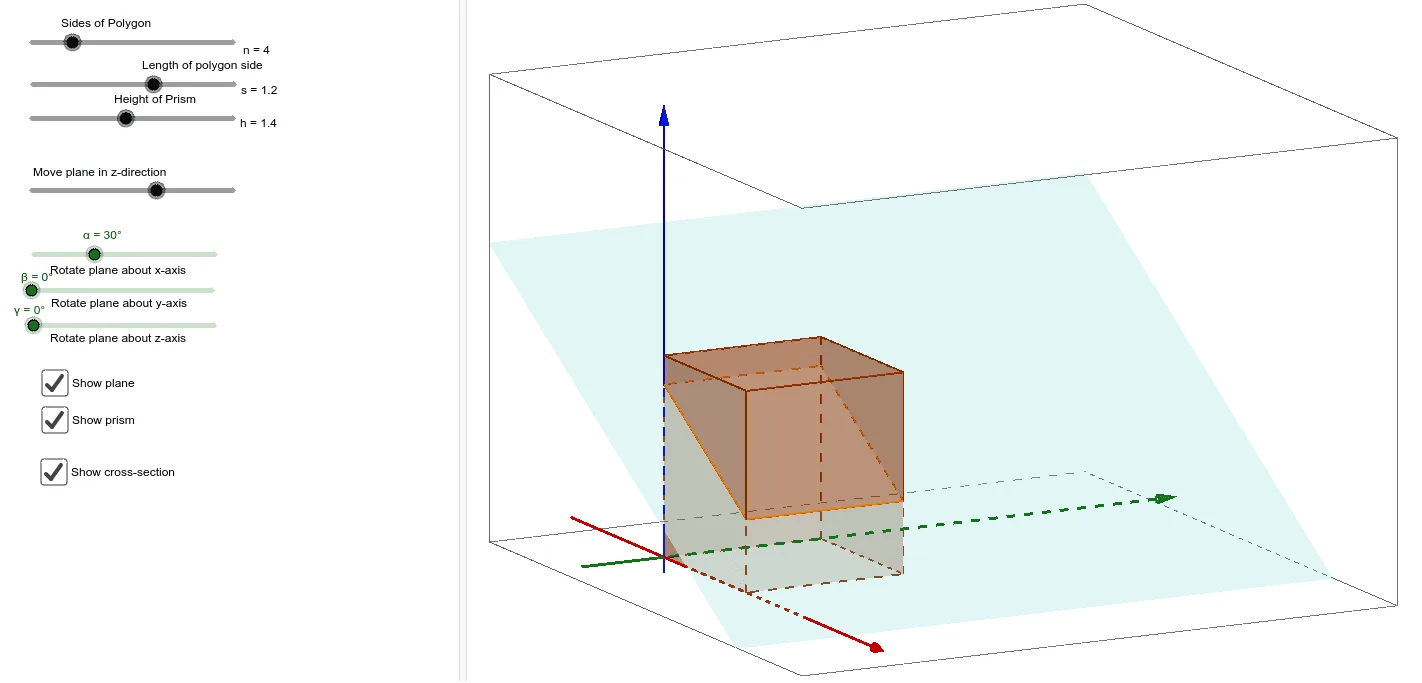
① This GeoGebra example dynamically demonstrates how a plane cuts through a prism, revealing the resulting cross-section shape and clarifying the spatial relationship between the 3D solid and the cutting plane. ② Core mathematical concepts include prisms, cross-sections, intersection of planes and solids, polygons, and spatial transformations such as translation and rotation. ③ Construction highlights: using GeoGebra commands like Prism to build the prism, Plane to define the cutting plane, IntersectPath to obtain the intersection curve between the plane and prism faces, and Point, Segment, Polygon to construct the cross-section polygon; Rotate and Translate are used to adjust viewpoints and positions. Objects include vertices, edges, faces, and the cross-section polygon. ④ Suitable for high school or early college students learning solid geometry, and useful for teachers as a classroom demonstration to explore how cross-section shapes change with the cutting plane's orientation and position.
GeoGebra Commands & Parameters
Intersect(xAxis, yAxis) → APoint(Circle[A, b]) → BSegment(A, B) → cPolygon(A, B, a) → poly1, d, D, E, F, G, H, e, f, g, h, i, j, k, CPrism(poly1, l) → m, I, faceBCKJ, faceCDLK, faceDEML, faceEFNM, faceFGON, faceAGOI, face1, faceIJKLMNO, edgeAI, edgeBJ, J, edgeCK, edgeDL, edgeEM, edgeFN, edgeGO, edge1, edgeIJ, edgeJK, edgeKL, edgeLM, K, edgeMN, edgeNO, edgeIO, edge2, L, M, N, O, S, faceABJILine(P, yAxis) → pLine(P, xAxis) → qPoint(p) → QPoint(q) → RRotate(R, α, p) → R'Rotate(Q, (-β), q) → Q'Plane(P, Q', R') → nIntersectPath(n, m) → poly2, T, s, t, a_1, b_1, c_1, d_1, e_1, U, V, W, Z, A_1, B_1, C_1, rRotate(n, γ, zAxis) → i_1Translate(i_1, Vector[(0, 0, 0), (w, 0, 0)]) → f_1IntersectPath(f_1, m) → poly3, D_1, k_1, l_1, i_2, E_1, F_1, G_1, H_1, S_1, g_1, h_1, j_1IntersectPath(i_1, m) → poly4, I_1, f_2, h_2, k_2, J_1, K_1, P_1, R_1, U_1, m_1, n_1, p_1
AI Drawing Prompt Reference
Draw a prism and cut it with a plane to show the resulting cross-section polygon. First, create the prism, then define a plane and move it to the right position. Find the intersection curve between the plane and the prism to form the cross-section polygon. Finally, rotate and translate the plane to observe the changes in the cross-section polygon.
The prompt above was compiled from the original drawing commands and is for reference only.