
Create Prism with Unity Cubes - 3D
Loading the math board and drawing, please wait…
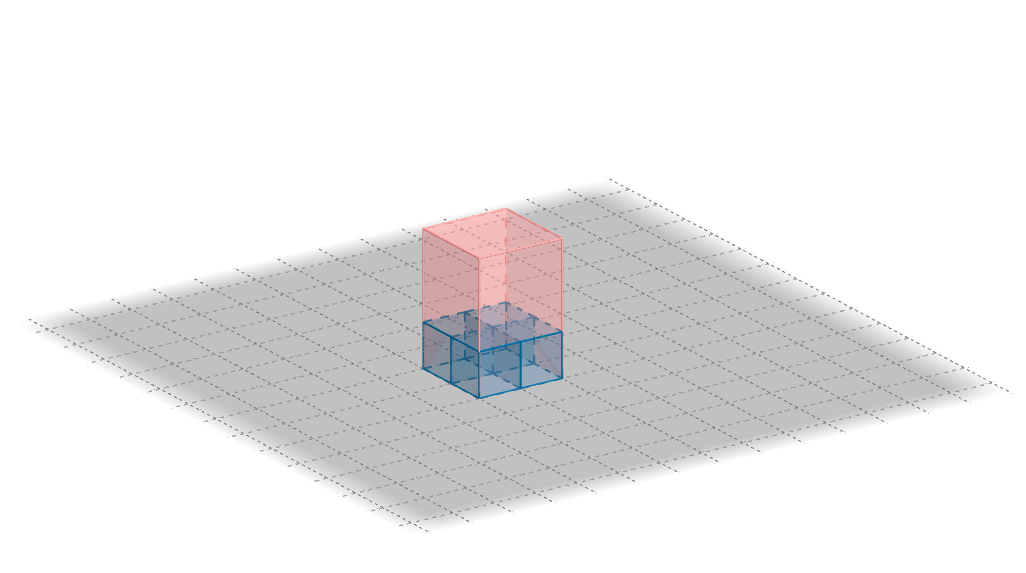
This example demonstrates how to create prisms using Unity cubes to better understand the concept of volume. It involves core math concepts like volume, polygons, and solid geometry. Construction uses commands/objects such as Point, Sequence, Vector, Textfield, Polygon, Prism. Suitable for middle school and above students learning about solid geometry and volume calculation.
GeoGebra Commands & Parameters
Point(Circle[(1, 0, 0), Distance[(0, 0, 0), (1, 0, 0)], Segment[(0, 0, 0), (1, 0, 0)]]) → ASequence(Cube[(i, 0, 0), (i + 1, 0, 0), Point[Circle[(i + 1, 0, 0), Distance[(i, 0, 0), (i + 1, 0, 0)], Segment[(i, 0, 0), (i + 1, 0, 0)]]]], i, 0, b - 1) → liste1Vector(B, C) → uSequence(Translate[liste1, Vector[(i * u)]], i, 1, a - 1) → liste2Vector(B, D) → vTextfield(b) → MetinAlanı1Textfield(a) → MetinAlanı2Textfield(c) → MetinAlanı3Sequence(Translate[liste2, Vector[(i * v)]], i, 1, d - 1) → liste3Sequence(Translate[liste1, Vector[(i * v)]], i, 1, d - 1) → liste4Polygon((0, 0, 0), (b, 0, 0), (b, a, 0), (0, a, 0)) → çokgen1, e, f, g, hPrism(çokgen1, c) → i, E, ayrıt1, ayrıt2, ayrıt3, ayrıt4, ayrıtEF, ayrıtFG, ayrıtGH, ayrıtEH, F, G, H, yüz1, yüz3, yüz4, yüz2, yüzEFGH
AI Drawing Prompt Reference
Draw a prism composed of multiple unity cubes to demonstrate the concept of volume. Start by creating a line segment, then generate a sequence of cubes along this segment. Use vector translation to move these cubes horizontally, forming a row. Next, translate this row vertically using another vector to create a parallel row of cubes. Finally, connect the corresponding vertices of the top and bottom faces to form a polygon, and generate the prism to clearly show the volume change.
The prompt above was compiled from the original drawing commands and is for reference only.