
Create a Triangle with Given Area
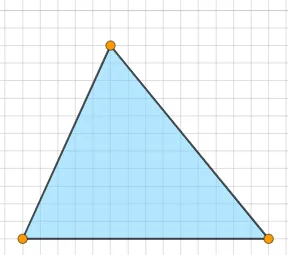
Loading the math board and drawing, please wait…
This example demonstrates how to create a triangle with a specified area using GeoGebra. Key mathematical concepts include the area formula of a triangle. Construction highlights include using the Polygon command to draw the triangle and employing Random and If commands to generate random points and make conditional judgments. Suitable for middle school and above students to learn triangle area calculation and geometric construction.
GeoGebra Commands & Parameters
Polygon(A, B, C) → t1, c, a, bSegment(A, B) → fSegment(B, C) → gSegment(C, A) → hSequence((2 * i), i, 5, 25, 1) → l1Random(1, 5) → nIf(1 ≤ n ≤ 2, "acute", 3 ≤ n ≤ 4, "obtuse", "right") → text1RandomElement(l1) → dIf(1 ≤ n ≤ 4, "an", "a") → text2InteriorAngles(t1) → α, β, γIf(c2, (("Triangle is " * text1) * "."), (("Triangle is not " * text1) * ".")) → text4If(t1 ≟ d, ("Area = " * d), ("Area ≠ " * d)) → text5
AI Drawing Prompt Reference
Draw a triangle with an area of 5 square units. First, randomly select three points A, B, and C to form the triangle. Then, draw the three sides of the triangle. Finally, generate a random number between 1 and 5, and based on the range of the number, determine if the triangle is acute, obtuse, or right, and display the corresponding text.
The prompt above was compiled from the original drawing commands and is for reference only.