
Create a Triangle with Given Area: Quick Formative Assessment
Loading the math board and drawing, please wait…
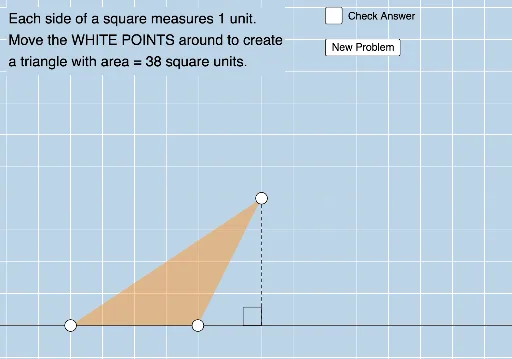
This example demonstrates how to create a triangle with a specified area using GeoGebra. Key mathematical concepts include triangle area calculation. Using commands like Point, Polygon, OrthogonalLine, etc., students can understand the relationship between area and side lengths. Suitable for middle school and above students for geometric construction practice.
GeoGebra Commands & Parameters
Point(xAxis) → APoint(Ray[(x(A) + 1, 0), (x(A) + 2, 0)]) → BPolygon(A, C, B) → t1, b, a, cOrthogonalLine(C, xAxis) → fIntersect(f, xAxis) → DSegment(C, D) → gAngle(C, D, B) → αLine(A, B) → hSequence((2 * i), i, 3, 25, 1) → L_1RandomElement(L_1) → d
AI Drawing Prompt Reference
Draw a triangle with a specified area, demonstrating coordinate geometry construction. Start by placing a point on the x-axis, then draw a horizontal line segment from this point to another point to the right. Construct a triangle using this line segment and a vertical line from the point on the x-axis. To achieve the given area, draw a perpendicular line from the top vertex to the x-axis and find the foot of the perpendicular. Connect this foot to the other vertex of the triangle. Finally, select a length from a given sequence and draw a line segment of the same length starting from the midpoint of the triangle's base and extending to the right, completing the figure.
The prompt above was compiled from the original drawing commands and is for reference only.