
Cosine Spaghetti
Loading the math board and drawing, please wait…
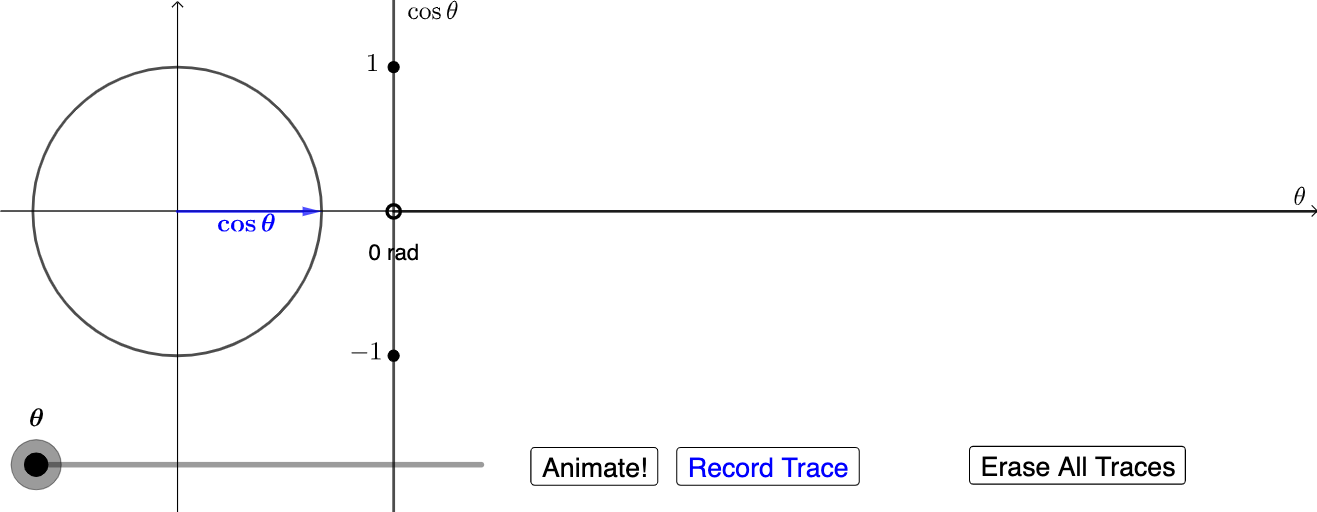
Cosine Spaghetti demonstrates the application of trigonometric functions in geometric constructions. It involves concepts like rotation, orthogonal lines, and intersection. The construction uses GeoGebra commands such as Rotate, OrthogonalLine, and Intersect. This example is suitable for high school students or enthusiasts interested in trigonometry and geometry.
GeoGebra Commands & Parameters
Rotate(A, ((a * 2) * π), (0, 0)) → A'OrthogonalLine(A', xAxis) → fIntersect(f, xAxis) → BVector(B, A') → uDilate(D, If[0 < a ≤ 1, 1 - a, 0], C) → D'Vector(D', E) → vDilate(B, If[0 < b ≤ 1, 1 - b, 0], D') → B'Vector(B, B') → wTranslate(A', w) → A''Vector(B', A'') → dAngle(A, F, A') → θSegment(F, A') → kCircleArc(F, A, A') → qDilate(A, If[1 < b ≤ 2, 2 - b, 0], D) → A'_1Vector(A, A'_1) → eDilate(D, If[2 < b ≤ 3, 3 - b, 0], B') → D'_1Vector(D, D'_1) → mCircle(D'_1, 1) → rDilate(D, If[3 < b ≤ 4, 4 - b, 0], D') → D'_2Vector(D, D'_2) → tDilate(D, If[1 < b ≤ 2, 2 - b, 0], A) → D'_3Vector(D, D'_3) → nTranslate(D, n) → D'_4Vector(H, A') → sDilate(H, If[0 < b ≤ 1, 1 - b, 0], D') → H'Vector(H, H') → u_1Translate(s, u_1) → s'Translate(A', u_1) → A''_1Vector(H', A''_1) → v_1Rotate(A''_1, If[0 < b ≤ 1, (b * π / 2), π / 2], H') → IVector(H', I) → w_1Rotate(A''_1, If[0 < b ≤ 1, ((-b) * π / 2), ((-π)) / 2], H') → JRay((1.5, 0), (2, 0)) → g_1Dilate((0, 0), If[0 < b ≤ 1, 1 - b, 0], (1.5, 0)) → LRotate(L + (1, 0), If[0 < b ≤ 1, (b * π / 2), π / 2], L) → MVector(L, M) → a_1
AI Drawing Prompt Reference
Draw a geometric construction demonstrating the application of trigonometric functions, involving rotation, orthogonal lines, and intersections. Start with a triangle and a circle, then create new points and lines through rotation and orthogonal operations. Use vectors, dilation, and translation to build complex structures, adding arcs and rays. The final image should showcase rich geometric relationships and transformations.
The prompt above was compiled from the original drawing commands and is for reference only.