
Cosine Rule & Sine/Cosine of Special Angles
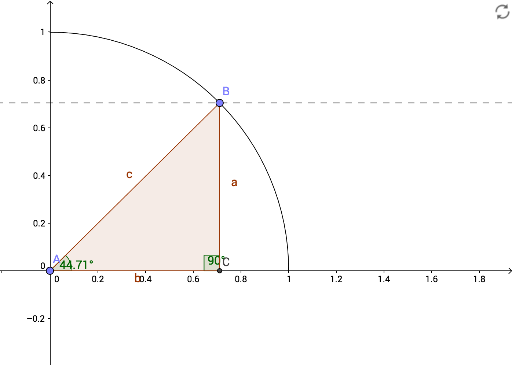
Loading the math board and drawing, please wait…
This example demonstrates the application of the Cosine Rule in right triangles and the sine/cosine values of special angles (30°, 45°, 60°). Core math concepts include the Cosine Rule, sine, cosine functions, and properties of right triangles. Construction involves GeoGebra commands like Intersect, Point, Line, CircleArc, OrthogonalLine, Polygon, and Angle. Suitable for high school mathematics education to enhance understanding of trigonometric functions and geometric relationships, reinforcing calculation and application skills.
GeoGebra Commands & Parameters
Intersect(xAxis, yAxis) → A_1Point(xAxis) → HPoint(xAxis) → GLine(G, H) → gPoint(xAxis) → B_1Point(yAxis) → C_1CircleArc(A_1, B_1, C_1) → c_1Point(c_1) → BPoint(yAxis) → AOrthogonalLine(B, g) → fIntersect(g, f) → CPolygon(B, A, C) → poly1, c, b, aOrthogonalLine(B, a) → hAngle(A, C, B) → αAngle(B, A, C) → β
AI Drawing Prompt Reference
Draw a right triangle and create an arc at the right angle vertex that intersects the x-axis and y-axis at two points. Connect these two points to form a line segment. Take a point on the arc and draw a perpendicular line to the known segment from this point, which intersects the x-axis at another point. Connect the point on the arc and the point on the x-axis to form a new triangle. Label the three angles and calculate and display the sine and cosine values for each angle.
The prompt above was compiled from the original drawing commands and is for reference only.