
Cosine Function Amplitude, Period, and Translations
Loading the math board and drawing, please wait…
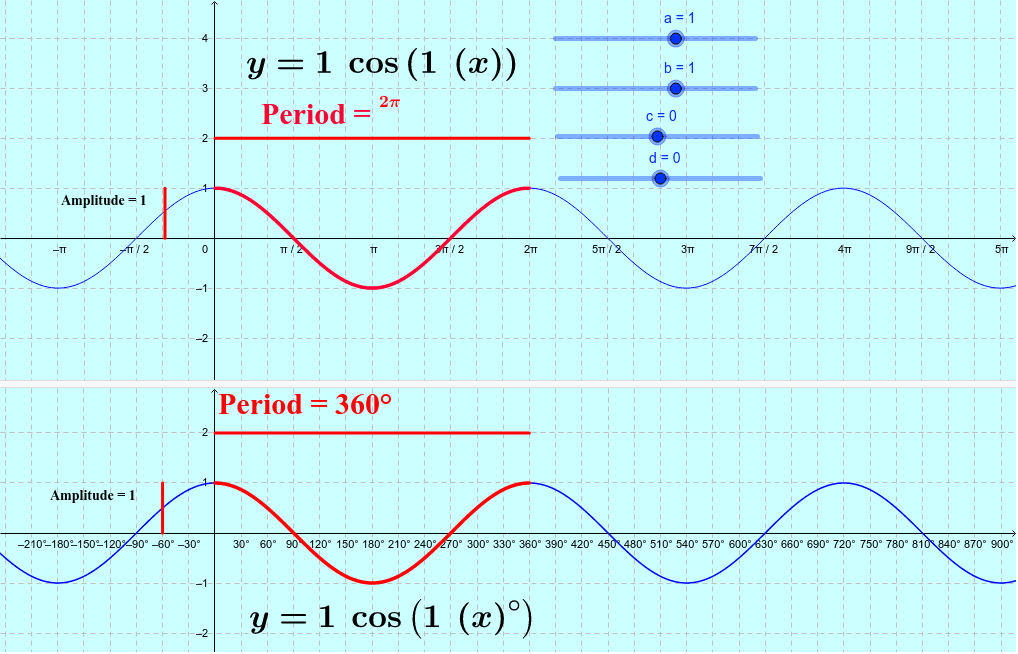
This example demonstrates how to modify the amplitude, period, and horizontal/vertical translations of a cosine function using interactive sliders. Key mathematical concepts include amplitude, period, phase shift, and vertical shift. The construction uses GeoGebra commands such as Point, Segment, and Function, along with objects like a, b, c, etc., to create adjustable parameters. It is suitable for high‑school students (grades 10‑12) and introductory college courses on trigonometric functions.
GeoGebra Commands & Parameters
Point(yAxis) → ASegment(A, B) → c_1Point(yAxis) → CSegment(C, D) → d_1Segment(E, F) → eSegment(G, H) → iFunction((a * cos((b * (x - c)))) + d, 0 + c, (2 * π / abs(b)) + c) → hFunction((a * cos(((b * (x - (c * 180 / π))))°)) + d, 0 + (c * 180 / π), 360 / abs(b) + (c * 180 / π)) → q
AI Drawing Prompt Reference
Draw a cosine function graph with adjustable amplitude, period, and phase shift, and vertical shift. First, draw two vertical line segments as references for amplitude and period. Then, use sliders to adjust the amplitude, period, phase shift, and vertical shift to construct the graph.
The prompt above was compiled from the original drawing commands and is for reference only.