
Correlation Coefficient r - Interactive Exploration
Loading the math board and drawing, please wait…
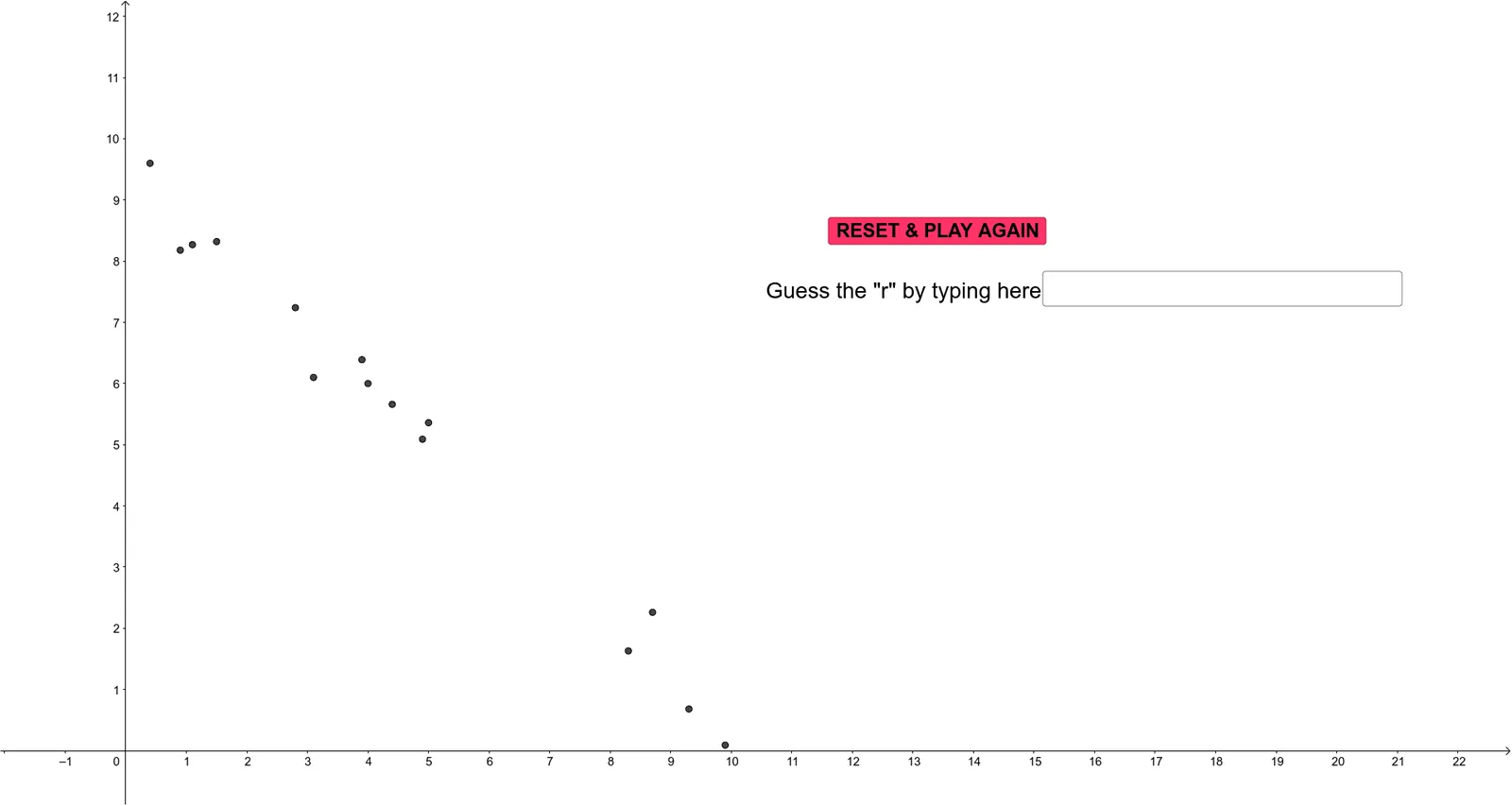
This GeoGebra example dynamically demonstrates the calculation and visualization of Pearson's correlation coefficient r, helping learners intuitively grasp the strength and direction of linear association between two variables. Core mathematical concepts include the correlation coefficient formula, covariance, standard deviation, least-squares regression line, and the scatterplot pattern. Construction highlights: uses GeoGebra commands such as Intersect for finding intersection points, stdevp for population standard deviation, Sum for summation, FitPoly to generate a fitted polynomial (typically linear), and Textfield for input boxes to adjust data points or parameters. Objects include multiple points (A11 to A25), sliders a, b, α, the fitted function f, and equation eq1. Suitable for high school or introductory college statistics courses, also useful for AP Statistics or data analysis teaching. By dragging points or modifying parameters, users can observe real-time changes in r, deepening understanding of correlation versus causation.
GeoGebra Commands & Parameters
Intersect(f, eq1) → AIntersect(f, yAxis) → Bstdevp(G11:G25) → G8stdevp(H11:H25) → H8Sum(K11:K25) → K8FitPoly(l1, 1) → gTextfield(guess) → InputBox1
AI Drawing Prompt Reference
Create an interactive scatterplot that explores Pearson’s correlation coefficient r for two variables. Provide multiple draggable data points (two-dimensional coordinates) and include sliders/input fields to adjust the data or parameters. From the current points, compute the population standard deviations of both variables and use them to obtain the correlation coefficient r, reflecting the strength and direction of the linear association. Add a least-squares linear regression line derived from the points and display it together with the scatter pattern. Let users drag points or modify parameters and observe how r updates in real time.
The prompt above was compiled from the original drawing commands and is for reference only.