
Coordinates and Geometric Transformations in GeoGebra
Loading the math board and drawing, please wait…
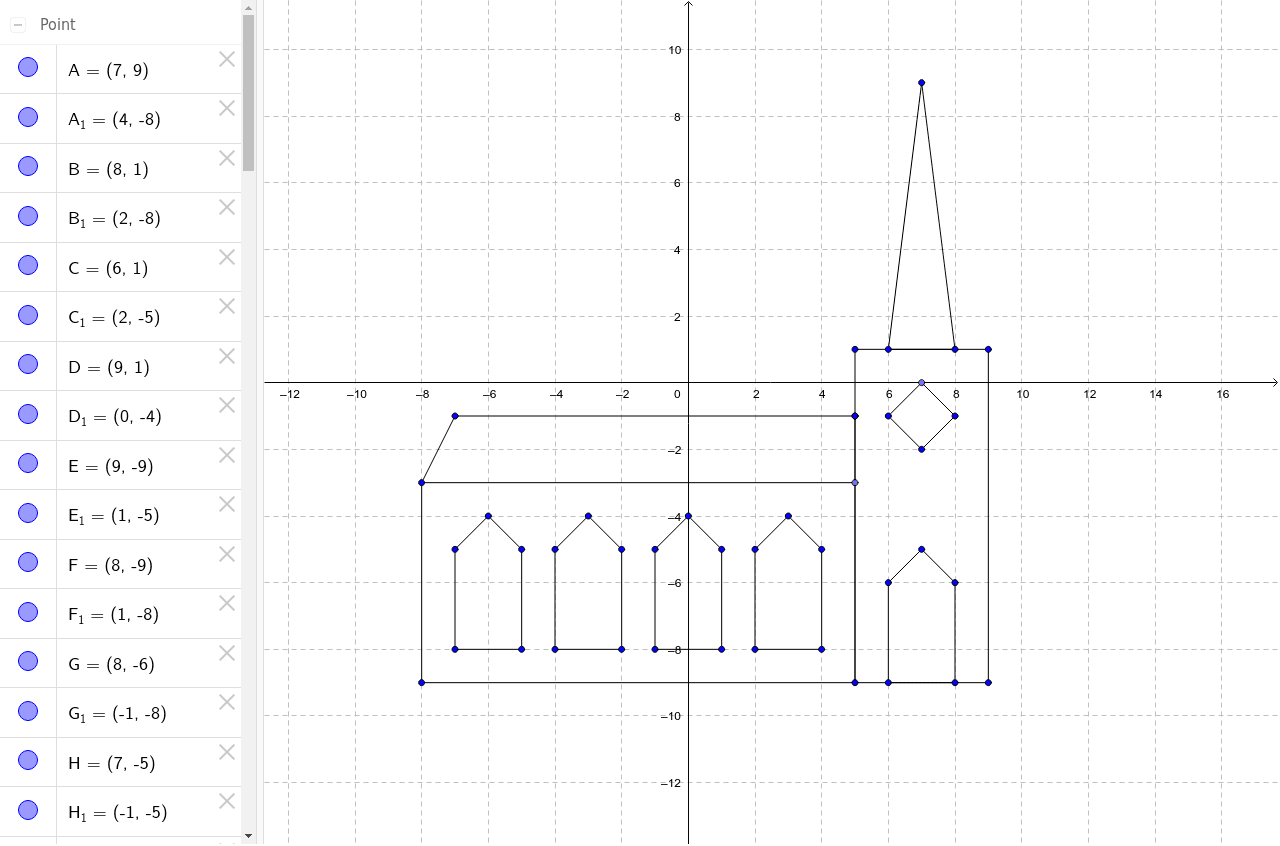
This example demonstrates how to use GeoGebra for coordinate and geometric transformations. Key mathematical concepts include coordinate geometry, geometric transformations, and loci. Construction involves commands like Segment, Point, and Orthocenter. Suitable for high school students or math enthusiasts.
GeoGebra Commands & Parameters
Segment(A, B) → aSegment(C, B) → bSegment(C, D) → cSegment(D, E) → dSegment(E, F) → eSegment(F, G) → fSegment(G, H) → gSegment(H, I) → hSegment(I, J) → iSegment(J, F) → jSegment(F, K) → kSegment(K, L) → lSegment(L, K) → mSegment(K, M) → nSegment(M, N) → pPoint(l) → OSegment(N, O) → qSegment(N, P) → rSegment(P, Q) → sSegment(Q, R) → tSegment(R, C) → a_1Segment(C, A) → b_1Point(xAxis) → SSegment(S, T) → c_1Segment(U, T) → d_1Segment(U, V) → e_1Segment(V, S) → f_1Segment(W, Z) → g_1Segment(A_1, Z) → h_1Segment(A_1, B_1) → i_1Segment(B_1, C_1) → j_1Segment(W, C_1) → k_1Segment(D_1, E_1) → l_1Segment(E_1, F_1) → m_1Segment(F_1, G_1) → n_1Segment(G_1, H_1) → p_1Segment(H_1, D_1) → q_1Segment(I_1, J_1) → r_1Segment(J_1, K_1) → s_1Segment(K_1, L_1) → t_1Segment(L_1, M_1) → a_2Segment(M_1, I_1) → b_2Segment(N_1, O_1) → c_2Segment(O_1, P_1) → d_2Segment(P_1, Q_1) → e_2Segment(Q_1, R_1) → f_2Segment(R_1, N_1) → g_2
AI Drawing Prompt Reference
Please draw a geometric figure composed of multiple line segments. The figure includes key points such as A, B, C, D, E, F, G, H, I, J, K, L, M, N, O, P, Q, R, S, T, U, V, W, Z, and line segments a, b, c, d, e, f, g, h, i, j, k, l, m, n, o, p, q, r, s, t, u, v, w, x, y, z. The construction order starts from A to B, then to C, D, E, F, G, H, I, J, K, L, M, N, O, followed by connecting N to P, Q, R, S, T, then connecting S to T, U, V, W, Z, and finally connecting A1 to Z, A1 to B1, B1 to C1, W to C1, D1 to E1, E1 to F1, F1 to G1, G1 to H1, H1 to D1, I1 to J1, J1 to K1, K1 to L1, L1 to M1, M1 to I1, N1 to O1, O1 to P1, P1 to Q1, Q1 to R1, R1 to N1. The figure should show the connections between these line segments and the overall structure.
The prompt above was compiled from the original drawing commands and is for reference only.