
Converting Fractions to Decimals by raffaele.fantasia1
Loading the math board and drawing, please wait…
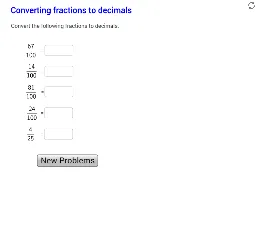
This example demonstrates how to convert fractions to decimals using GeoGebra. It involves core math concepts like fractions, decimals, and decimal representation. Construction highlights include commands/objects such as RandomDiscrete, Textfield, Random, LaTeX, and elements like A_1, d_1, InputBox_1, n_1, ans_1. Suitable for middle school and above mathematics education for visualizing fraction-to-decimal conversions.
GeoGebra Commands & Parameters
RandomDiscrete({2, 3, 4, 5, 8, 10, 20, 25, 50, 100, 1000}, {1, 2, 3, 4, 4, 5, 8, 20, 20, 40, 10}) → d_1Textfield(A_1) → InputBox_1Random(1, d_1) → n_1LaTeX(n_1 / d_1) → ans_1RandomDiscrete({2, 4, 5, 8, 10, 20, 25, 50, 100, 1000}, {1, 3, 4, 4, 5, 8, 20, 20, 40, 10}) → d_5Random(1, d_5) → n_5RandomDiscrete({2, 3, 4, 5, 8, 10, 20, 25, 50, 100, 1000}, {1, 2, 3, 4, 4, 5, 8, 20, 20, 40, 10}) → d_2Textfield(A_2) → InputBox_6RandomDiscrete({2, 3, 4, 5, 8, 10, 20, 25, 50, 100, 1000}, {1, 2, 3, 4, 4, 5, 8, 20, 20, 40, 10}) → d_3Random(1, d_2) → n_2RandomDiscrete({2, 3, 4, 5, 8, 10, 20, 25, 50, 100, 1000}, {1, 2, 3, 4, 4, 5, 8, 20, 20, 40, 10}) → d_4Random(1, d_3) → n_3Random(1, d_4) → n_4LaTeX(n_5 / d_5) → ans_5LaTeX(n_2 / d_2) → ans_2LaTeX(n_3 / d_3) → ans_3LaTeX(n_4 / d_4) → ans_4Textfield(A_2) → InputBox_2Textfield(A_4) → InputBox_4Textfield(A_5) → InputBox_5Textfield(A_3) → InputBox_3RandomDiscrete({2, 3, 4, 5, 8, 10, 20, 25, 50, 100, 1000}, {1, 2, 3, 4, 4, 5, 8, 20, 20, 40, 10}) → d_6Random(1, d_6) → n_6LaTeX(n_6 / d_6) → ans_6
AI Drawing Prompt Reference
Draw a graphic showing the conversion of fractions to decimals. Include an input box for entering a random integer and another input box to display the result. The construction order should be: first randomly select a denominator, then a numerator, then calculate the decimal form of numerator divided by denominator, and display it in the input box. The graphic should clearly show fractions and their corresponding decimals to help understand the conversion process.
The prompt above was compiled from the original drawing commands and is for reference only.