
Construction of the Golden Section of a Line Segment
Loading the math board and drawing, please wait…
In collections
Bling things
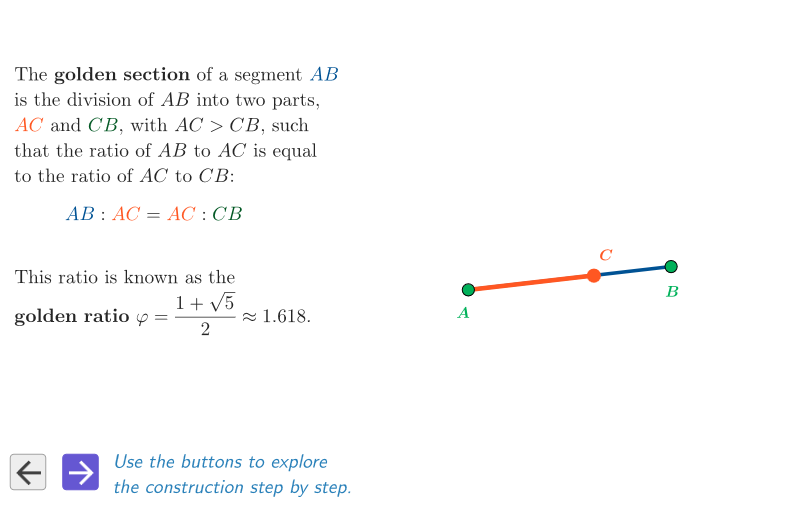
This example demonstrates the construction of the golden section of a line segment using both geometric and algebraic methods. Key mathematical concepts include the golden ratio φ. Using GeoGebra commands such as Polygon, Segment, and Midpoint, the construction process is illustrated. Suitable for students at the junior high school level and above.
GeoGebra Commands & Parameters
Polygon({PP1, PP2, PP3, PP4}) → peepPointIn(peep) → BPointIn(peep) → ASegment(A, B) → segmABMidpoint(A, B) → MOrthogonalLine(B, segmAB) → bCircle(B, Segment[B, M]) → cIntersect(c, b, 2) → PIntersect(c, b, 1) → DCircle(P, Segment[P, B]) → dSegment(A, P) → eIntersect(d, e, 1) → QCircle(A, Segment[A, Q]) → fIntersect(f, segmAB) → C,Segment(A, C) → gSegment(A, C) → h
AI Drawing Prompt Reference
Draw a line segment and find its midpoint. Draw a circle with the midpoint as the center and the radius equal to half the length of the segment. Then draw a perpendicular line to the segment that intersects the circle at two points. Connect these two points to the endpoints of the segment to form a quadrilateral. Next, draw a circle with one of the intersection points as the center, intersecting the line connecting the midpoint to the segment. Connect this intersection point to one endpoint of the segment and draw another circle with this point as the center, intersecting the segment again. Finally, connect the endpoints of the segment and the last intersection point to form a pentagon.
The prompt above was compiled from the original drawing commands and is for reference only.