
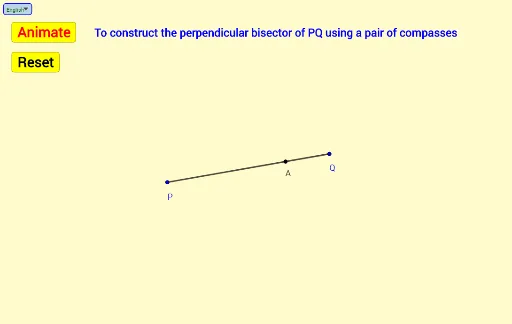
Construction of Perpendicular Bisector Using Compasses
Loading the math board and drawing, please wait…
In collections
Mathematics Form 1
This example demonstrates how to construct the perpendicular bisector of a line segment using compasses and straightedge. Key math concepts involved include line segments, circles, intersections, distances, and angles. Construction highlights the use of GeoGebra commands such as Segment, Circle, Intersect, Point, Distance, Angle, If, Rotate, and Arc. Suitable for middle school and above students learning geometric constructions and basic geometry concepts.
GeoGebra Commands & Parameters
Segment(P, Q) → fCircle(P, m) → cIntersect(c, f, 1) → RSegment(R, Q) → gPoint(g) → ADistance(P, A) → nCircle(P, n) → dCircle(Q, n) → eIntersect(d, e, 1) → BAngle(A, P, B) → αIf(0 ≤ t < 1, t, 1) → iRotate(A, a°, P) → A'Rotate(A', ((i * 40))°, P) → CArc(d, A', C) → kRotate(A, ((-a))°, P) → A'_1If(1 ≤ t < 2, t - 1, If[t < 1, 0, 1]) → hRotate(A'_1, ((-((h * 40))))°, P) → DArc(d, D, A'_1) → pIf(2 ≤ t < 3, t - 2, If[t < 2, 0, 1]) → jIf(3 ≤ t < 4, t - 3, If[t < 3, 0, 1]) → lIf(t ≥ 4, t - 4, 0) → oIntersect(e, f, 1) → SRotate(S, ((-a))°, Q) → S'Rotate(S, a°, Q) → S'_1Rotate(S', ((-((j * 40))))°, Q) → ERotate(S'_1, ((l * 40))°, Q) → FArc(e, E, S') → qArc(e, S'_1, F) → rIntersect(d, e, 2) → GIf(x(Q) > x(P), Vector[B, G], Vector[G, B]) → uIf(x(Q) > x(P), Translate[B, Vector[(o * u)]], Translate[G, Vector[(o * u)]]) → HIf(x(Q) > x(P), Segment[B, H], Segment[G, H]) → sSelectedIndex(Bahasa) → nnIf(nn ≟ 1, "Animate", "Animasi") → Tex1If(nn ≟ 1, "Stop", "Berhenti") → Tex2If(nn ≟ 1, "Resume", "Teruskan") → Tex3If(nn ≟ 1, "Center P radius PA", "Pusat P jejari PA") → text1If(nn ≟ 1, "Center Q radius PA", "Pusat Q jejari PA") → text2If(nn ≟ 1, "To construct the perpendicular bisector of PQ using a pair of compasses", "Membina pembahagi dua sama serenjang PQ dengan menggunakan jangka lukis") → text3
AI Drawing Prompt Reference
Draw a line segment and use a compass to draw two equal circles centered at the endpoints of the segment. Find the intersection points of the circles, then connect the midpoint of the segment to these points to form the perpendicular bisector.
The prompt above was compiled from the original drawing commands and is for reference only.