
Construction and Analysis of Tree Diagrams
Loading the math board and drawing, please wait…
In collections
geometriadinamica.es
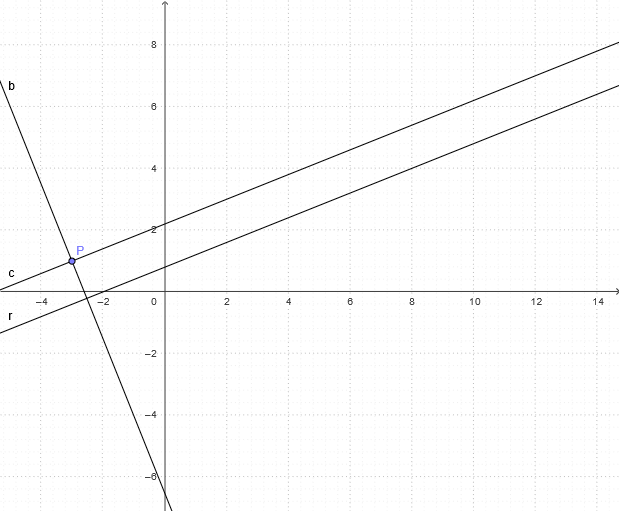
This example demonstrates how to construct and analyze tree diagrams using GeoGebra. Tree diagrams are graphical representations of relationships between elements, commonly used to describe data structures or algorithms. Key mathematical concepts include set theory and graph theory. Construction points include using OrthogonalLine and Line commands to create the tree diagram structure, and using P, r, b, and c objects to represent relationships between elements. Suitable for data structures and algorithms courses.
GeoGebra Commands & Parameters
OrthogonalLine(P, r) → bLine(P, r) → c
AI Drawing Prompt Reference
Draw a tree diagram illustrating relationships used in set theory and graph theory. Place two key points in the plane to represent the root element and an adjacent element. From the root point, construct a first line segment showing the main connection direction, then using the same two key points construct a second line segment to represent an alternative or additional connection between the elements. Keep both segments starting at the root point so the structure clearly reflects hierarchical relationships in a tree form, with emphasis on the connecting lines between elements.
The prompt above was compiled from the original drawing commands and is for reference only.