
Constructing the Unit Circle by Hand
Loading the math board and drawing, please wait…
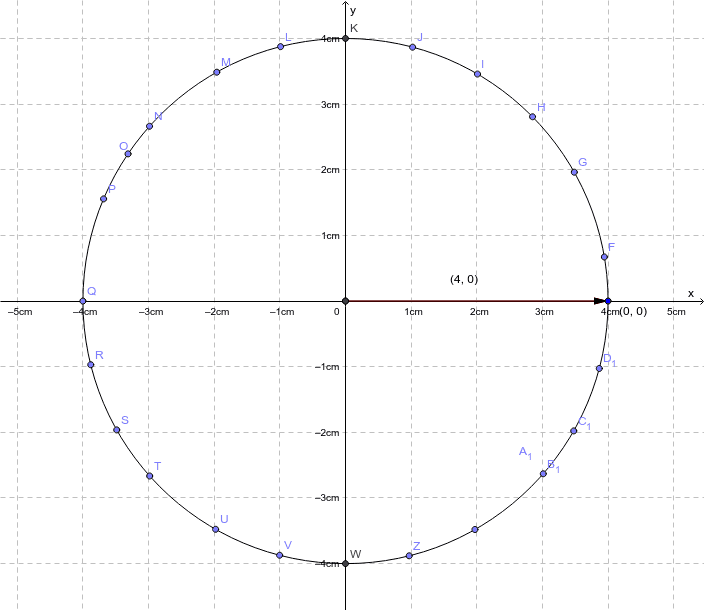
This example demonstrates the manual construction of a unit circle using GeoGebra interactive commands, exploring its geometric properties and relationship to trigonometric functions. Core concepts include the definition of a circle, coordinate representation, and the link between circular motion and trigonometric ratios. Construction involves key GeoGebra commands such as Intersect, Circle, Vector, OrthogonalLine, and Point, generating points that define the unit circle's structure. Suitable for high school trigonometry, precalculus, or introductory calculus courses seeking a hands-on understanding of radian measure, parametric circular motion, and the geometric origin of sine and cosine.
GeoGebra Commands & Parameters
Intersect(xAxis, yAxis) → ACircle(A, B) → cVector(A, B) → uOrthogonalLine(B, xAxis) → aOrthogonalLine(B, yAxis) → bIntersect(b, yAxis) → CIntersect(xAxis, a) → DVector(C, B) → vVector(D, B) → wIntersect(c, xAxis, 2) → EPoint(c) → FPoint(c) → GPoint(c) → HPoint(c) → IPoint(c) → JIntersect(c, yAxis, 2) → KPoint(c) → LPoint(c) → MPoint(c) → NPoint(c) → OPoint(c) → PPoint(c) → QPoint(c) → RPoint(c) → SPoint(c) → TPoint(c) → UPoint(c) → VIntersect(c, yAxis, 1) → WPoint(c) → ZPoint(c) → A_1Point(c) → B_1Point(c) → C_1Point(c) → D_1