
Constructing Parallelograms: Geometric Construction and Area Exploration
Loading the math board and drawing, please wait…
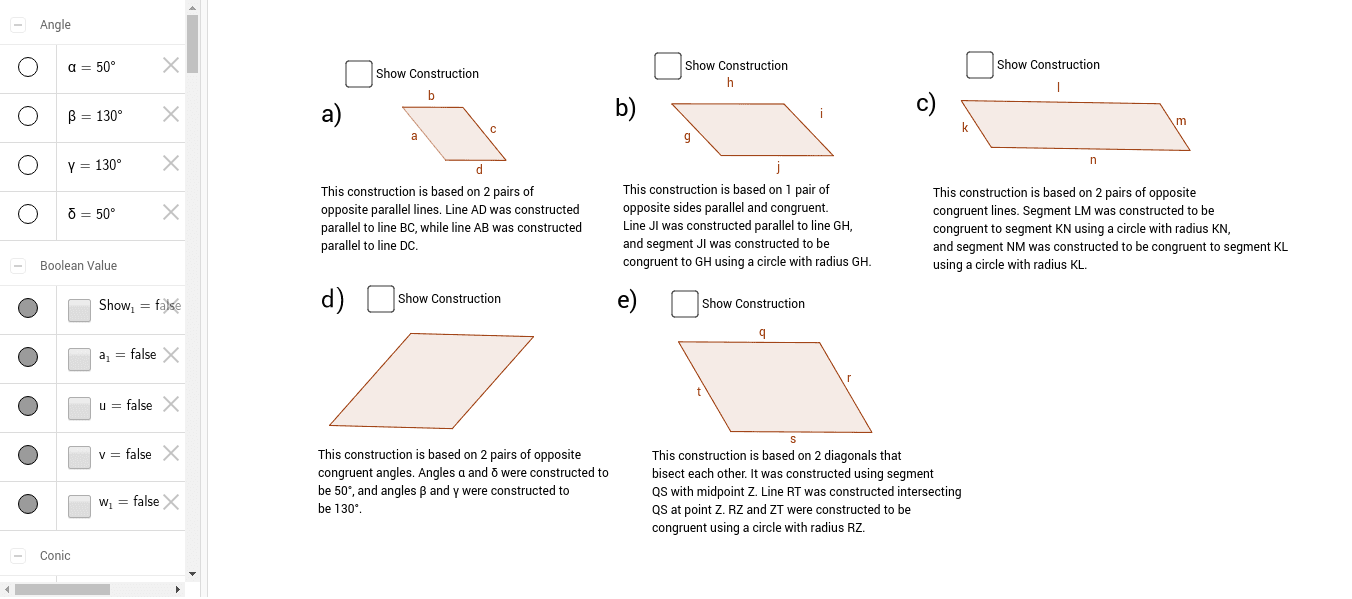
① This example demonstrates how to construct parallelograms step-by-step using GeoGebra's geometric tools, dynamically displaying side lengths, perimeter, and area. ② Core mathematical concepts include the definition and properties of parallelograms (opposite sides parallel and equal, diagonals bisect each other), perimeter and area calculations, with extensions to quadratic equations, conic sections, and linear equations. ③ Construction highlights: from the summary, commands such as Line, Point, Intersect, Polygon, Circle, Rotate, Angle, Segment, and Midpoint are used, creating key points A, B, C, D, polygons poly1 and poly2, and text objects text1-text5 for measurements. ④ Suitable for middle and high school students, ideal for introductory geometry lessons, dynamic exploration of parallelogram properties, and as a reference for teachers creating interactive courseware.
GeoGebra Commands & Parameters
Line(A, B) → fLine(C_1, f) → g_2Point(g_2) → DLine(A, D) → h_2Line(B, h_2) → i_2Intersect(g_2, i_2) → CPolygon(A, D, C, B) → poly1, a, d, c, bIntersect(d, c) → FLine(G, H) → j_1Line(J, j_1) → k_2Circle(G, Distance[G, H]) → eCircle(J, Distance[G, H]) → pIntersect(p, k_2, 2) → IPolygon(G, J, I, H) → poly2, g, j, i, hLine(K, L) → l_2Circle(N, Distance[K, L]) → q_2Line(K, N) → m_2Circle(L, Distance[K, N]) → r_2Intersect(q_2, r_2, 2) → MPolygon(K, N, M, L) → poly3, k, n, m, lRotate(O, 50°, P) → O'Angle(O, P, O') → αRotate(P, (-(130°)), O) → P'Angle(P', O, P) → βRotate(P, 130°, O') → P'_1Angle(P, O', P'_1) → γRotate(O, (-(50°)), P') → O'_1Angle(O'_1, P', O) → δPolygon(P, O', P', O) → poly4, w, o', p', oSegment(Q, S) → s_1Midpoint(s_1) → ZLine(R, Z) → t_1Circle(Z, Distance[Z, R]) → c_1Intersect(c_1, t_1, 2) → TPolygon(Q, T, S, R) → poly5, t, s, r, q
AI Drawing Prompt Reference
Draw a parallelogram by first drawing a base segment, then picking a point above it and drawing a line through that point parallel to the base. On this parallel line, choose a point as a vertex, connect it to both endpoints of the base, and through the other endpoint of the base draw a line parallel to the opposite side, intersecting the first parallel line to get the fourth vertex. Connect all four vertices to form the parallelogram. Next, construct a rhombus using a given segment: draw circles centered at each endpoint with radius equal to the segment length, take one intersection point as the third vertex, and connect to form the rhombus. Then, create a parallelogram by rotating one side by 50 degrees to get a new vertex, and connect to form the quadrilateral. Finally, construct a rectangle: draw a diagonal, find its midpoint, draw a perpendicular line through the midpoint, draw a circle centered at the midpoint with radius to one endpoint, intersect with the perpendicular to get a vertex, and connect all four vertices to form the rectangle.
The prompt above was compiled from the original drawing commands and is for reference only.