
Constructing Equilateral Triangles: Classic Compass-and-Straightedge
Loading the math board and drawing, please wait…
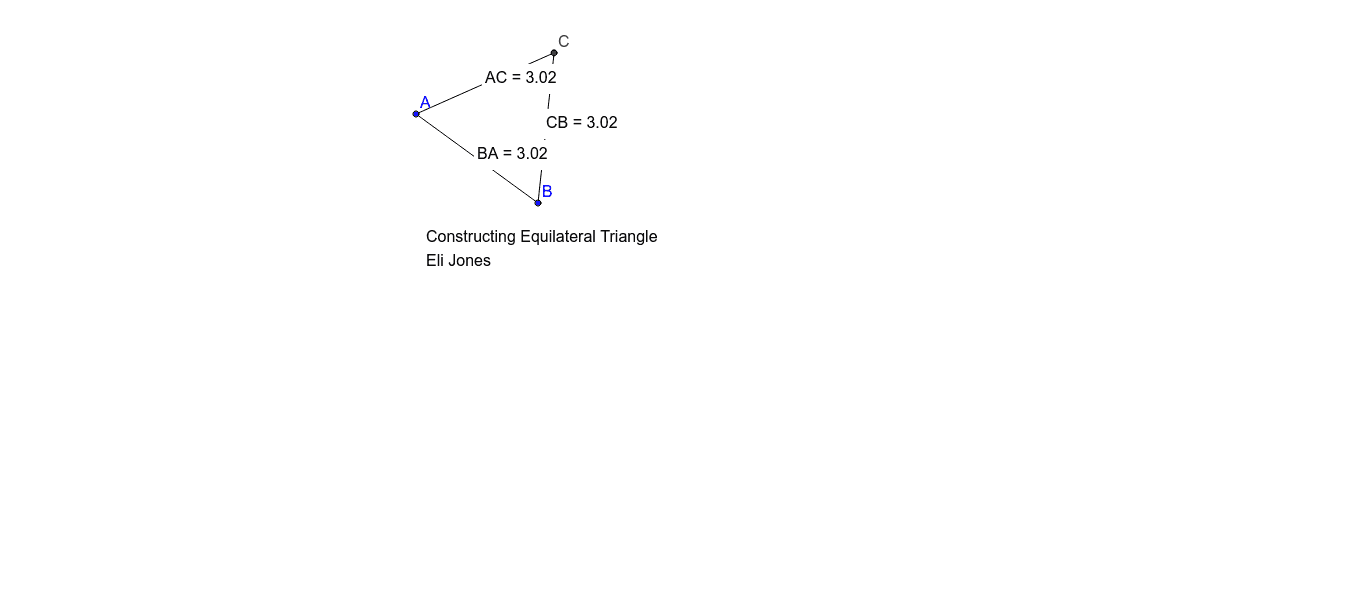
① This example demonstrates how to construct an equilateral triangle using compass and straightedge techniques, implemented in GeoGebra with circles, segments, and intersection points, while dynamically displaying the side lengths. ② The core mathematical concepts include the definition of an equilateral triangle (all sides equal, all angles 60°) and the fundamental principle of geometric construction: drawing two circles with a common radius and using their intersection as the third vertex. ③ Construction details: from the summary, the Circle command creates two congruent circles centered at A and B, Segment connects the intersection point C to A and B, Intersect finds the circle intersections, Distance measures the three side lengths, Midpoint may be used for auxiliary purposes, and Text objects display the measured lengths. ④ Suitable for middle school geometry classes to explore triangle properties, construction logic, and the use of measurement and text annotations in dynamic geometry software.
GeoGebra Commands & Parameters
Circle(A, B) → cCircle(B, A) → dSegment(A, B) → aIntersect(c, d, 1) → CSegment(B, C) → bSegment(C, A) → eDistance(C, B) → distanceCBMidpoint(C, B) →Distance(B, A) → distanceBAMidpoint(B, A) →Distance(A, C) → distanceACMidpoint(A, C) →
AI Drawing Prompt Reference
Draw an equilateral triangle. The triangle has three equal sides and each angle is 60 degrees. Start from two points, draw two circles with the same radius, find their intersection as the third vertex, then connect the points and measure the side lengths. Use text to label the side lengths to help understand the properties of an equilateral triangle.
The prompt above was compiled from the original drawing commands and is for reference only.