
Constructing a Kite: Exploring Symmetry and Ratios
Loading the math board and drawing, please wait…
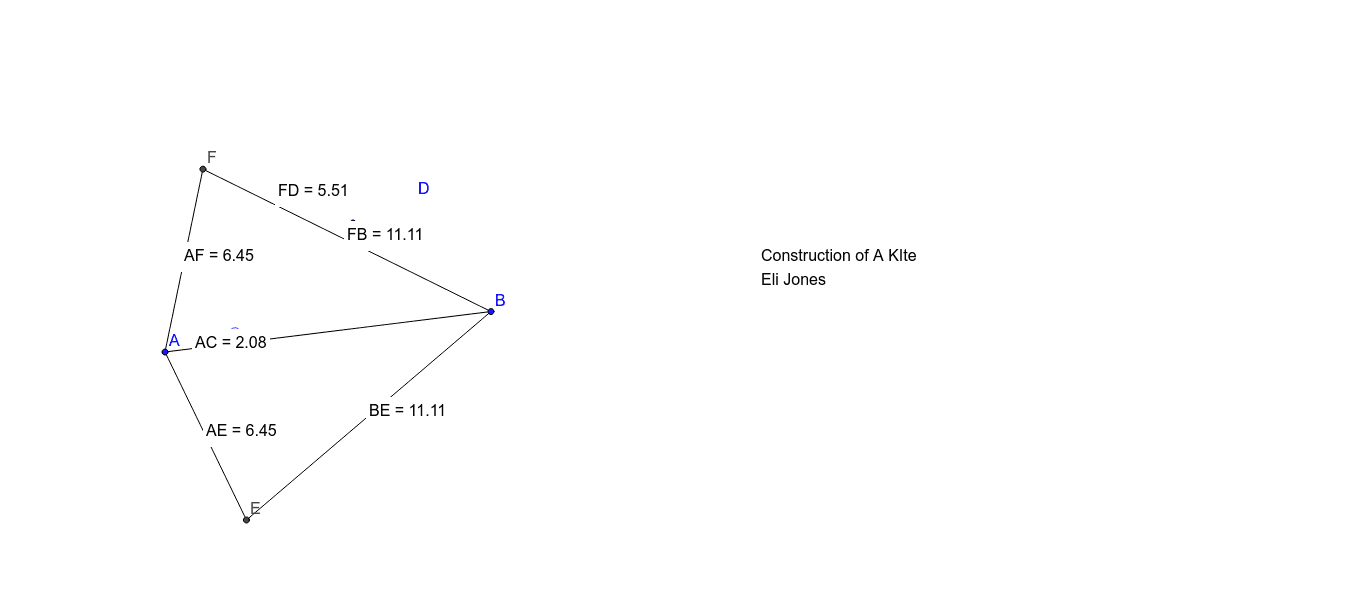
This example demonstrates how to construct a kite using geometric methods in GeoGebra. Key mathematical concepts include symmetry, ratio, and distance calculation. Construction involves using commands like Segment, Point, OrthogonalLine to create points, line segments, and circles, then calculating distances and intersection points. Suitable for middle school students learning geometric construction and ratio concepts, also useful for math competition preparation.
GeoGebra Commands & Parameters
Segment(A, B) → aPoint(a) → COrthogonalLine(C, a) → bCircle(C, D) → cIntersect(c, b) → E, FSegment(A, F) → dSegment(A, E) → eSegment(E, B) → fSegment(B, F) → gDistance(A, F) → distanceAFMidpoint(A, F) →Distance(F, D) → distanceFDMidpoint(F, D) →Distance(F, B) → distanceFBMidpoint(F, B) →Distance(B, E) → distanceBEMidpoint(B, E) →Distance(A, E) → distanceAEMidpoint(A, E) →Distance(A, C) → distanceACMidpoint(A, C) →
AI Drawing Prompt Reference
Draw the diagonals AC and BF of a kite, then draw a circle centered at A with radius AF, intersecting BF at points E and F. Connect A to F, E, B, and F to form a kite. Calculate the lengths of AF, FD, FB, BE, AE, and AC, and find the midpoints of each side.
The prompt above was compiled from the original drawing commands and is for reference only.