
Constructing Ellipses and Hyperbolas Using Perpendicular Bisectors
Loading the math board and drawing, please wait…
In collections
Algebraic and transcendental functions
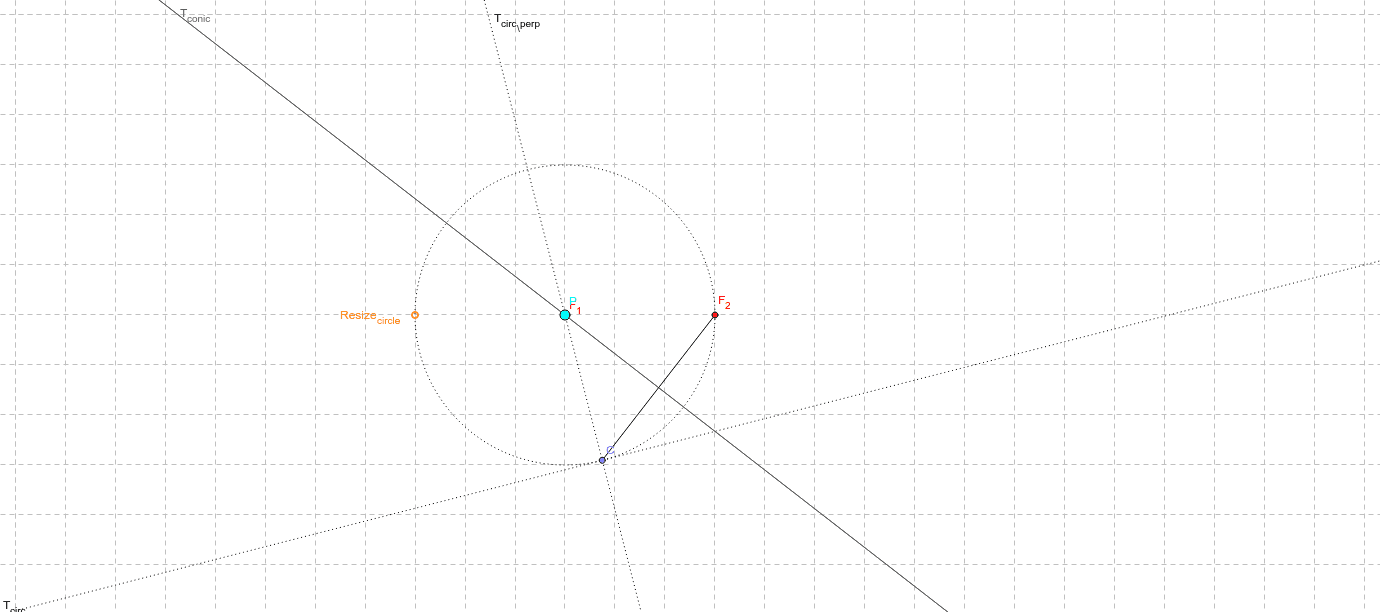
This example demonstrates the construction of ellipses and hyperbolas by folding a paper. Key concepts include circles, perpendicular bisectors, and tangents. GeoGebra commands used include Circle, Point, Segment, LineBisector, and Tangent. Suitable for high school mathematics education to help students understand basic concepts in coordinate geometry.
GeoGebra Commands & Parameters
Circle(F_1, Resize_{circle}) → cPoint(c) → CSegment(C, F_2) → aLineBisector(a) → T_{conic}Tangent(C, c) → T_{circ},Radius(c) → dOrthogonalLine(F_1, T_{circ}) → T_{circ_\perp}Intersect(T_{circ_\perp}, T_{conic}) → PDistance(P, F_1) → d_1Distance(P, F_2) → d_2Radius(c) → r
AI Drawing Prompt Reference
Draw an ellipse and a hyperbola. Start by drawing a circle, then pick a point C on the circle and draw a segment from C to one of the foci, F2. Construct the perpendicular bisector of this segment, T_conic. Next, draw the tangent line T_circ at point C, and then draw a line through F1 that is perpendicular to T_circ, intersecting T_conic at point P. Measure the distances from P to F1 (d1) and F2 (d2), ensuring that d1 + d2 equals the radius r of the circle, thus constructing an ellipse.
The prompt above was compiled from the original drawing commands and is for reference only.