
Constructing and Exploring Pyramids in 3D Geometry
Loading the math board and drawing, please wait…
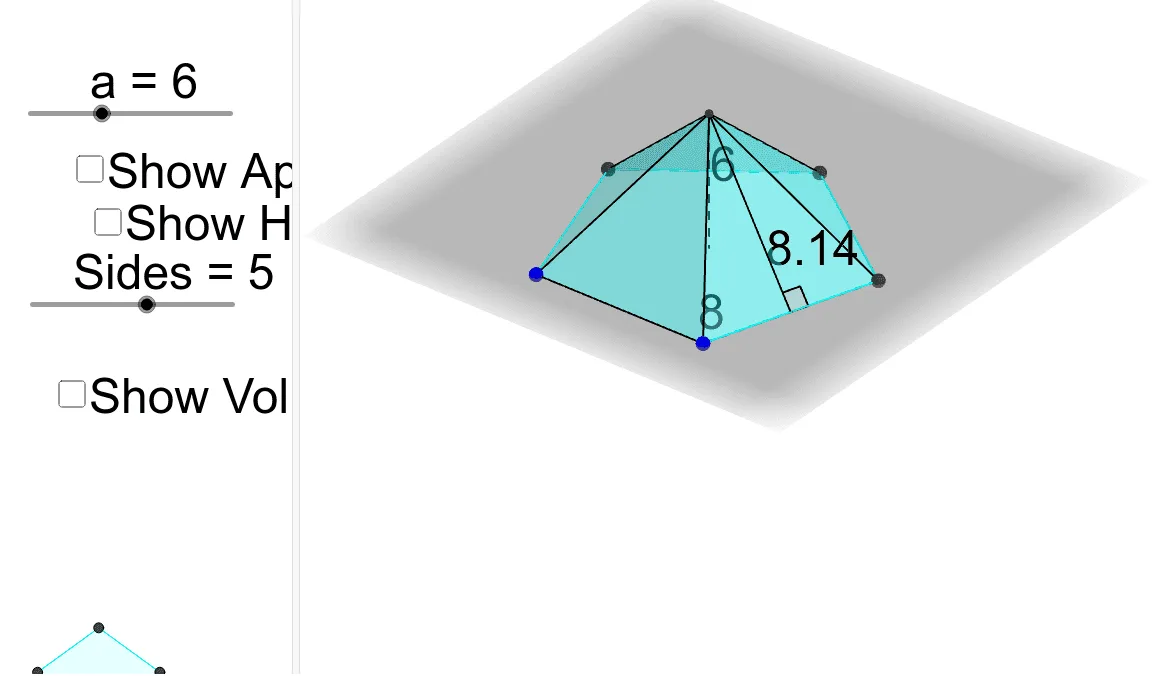
① This example demonstrates how to construct a pyramid using GeoGebra's 3D tools, showing the vertices, base, lateral faces, and auxiliary lines such as altitudes and midpoints. ② Core mathematical concepts include solid geometry: pyramid definition, lateral triangular faces, base polygon, perpendicular from apex to base (height), and special points like midpoints and orthocenters; it also touches on complex numbers, natural numbers, isosceles triangles, and orthocenters, but focuses on 3D pyramid construction. ③ Construction highlights: from the summary, commands include Polygon (to create the base), Pyramid (to generate the solid), Midpoint (to find midpoints), OrthogonalLine (to draw perpendiculars), Intersect (to find intersections), Segment (to connect edges), and Angle (to measure angles); objects include vertices A, B, C, D, base poly1, lateral faces faceABD, faceBCD, faceACD, and edges edgeAD, edgeBD, edgeCD, illustrating a complete workflow from 2D polygon to 3D solid. ④ Suitable for high school or early college solid geometry teaching, or math lab sessions, helping students intuitively understand pyramid structure, relationships between lateral faces and base, and positions of special points like orthocenters. By dynamically adjusting vertex positions, learners can observe shape changes and deepen spatial reasoning.
GeoGebra Commands & Parameters
Polygon(A, B, Sides) → poly1, d, E, G, I, K, M, e, f, j, l, n, q, s, CPyramid(poly1, a) → b, D, edgeAD, edgeBD, edgeCD, edge1, edge2, edge3, edge4, edge5, faceABD, faceBCD, faceACD, face1, face2, face3, face4, face5Midpoint(d) → FMidpoint(e) → HOrthogonalLine(H, e) → gOrthogonalLine(F, d) → hIntersect(g, h) → JSegment(D, J) → iMidpoint(e) → LSegment(D, L) → kAngle(C, L, D) → αMidpoint(d) → NSegment(C, N) → mAngle(N, J, D) → βSegment(J, N) → c
AI Drawing Prompt Reference
Draw a tetrahedron with base quadrilateral ABCD and three lateral triangular faces ABD, BCD, and ACD. First, draw the base quadrilateral ABCD, then use the pyramid command to create the tetrahedron. Next, find the midpoints of the base edges and draw perpendicular lines from vertex D to these midpoints. Finally, measure the angles between vertex D and the base edges.
The prompt above was compiled from the original drawing commands and is for reference only.