
Constructing an Equilateral Triangle
Loading the math board and drawing, please wait…
In collections
学习 GeoGebra 经典应用
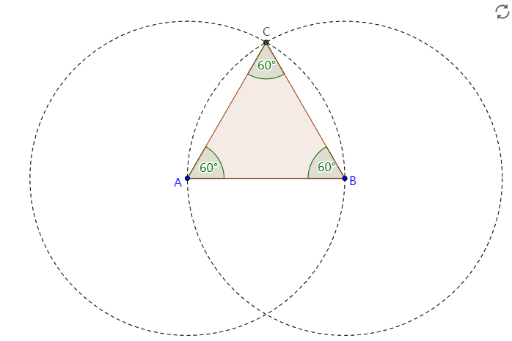
This example demonstrates how to construct an equilateral triangle using GeoGebra. Key mathematical concepts include the properties of triangles and angles. By using commands such as Segment, Circle, Intersect, Polygon, and Angle, an accurate equilateral triangle can be constructed. Suitable for students in middle school and above learning geometric construction.
GeoGebra Commands & Parameters
Segment(A, B) → aCircle(A, B) → cCircle(B, A) → dIntersect(c, d, 1) → CPolygon(A, B, C) → poly1, c_1, a_1, bAngle(poly1) → α, β, γ
AI Drawing Prompt Reference
Draw an equilateral triangle with three vertices, three sides, a circle with its center at one of the vertices, a circle with its center at another vertex, the intersection of the two circles, a polygon, and an angle. The triangle's sides should be equal in length, the circles' radii should be equal, the polygon's sides should be equal, and the angles should be equal in size. First, draw two circles with their centers at vertices A and B. Then, use the intersection of the two circles as vertex C. Next, draw a polygon that includes vertices A, B, and C. Finally, draw the three angles of the polygon.
The prompt above was compiled from the original drawing commands and is for reference only.