
Constructing a Parabola with Focus and Directrix
Loading the math board and drawing, please wait…
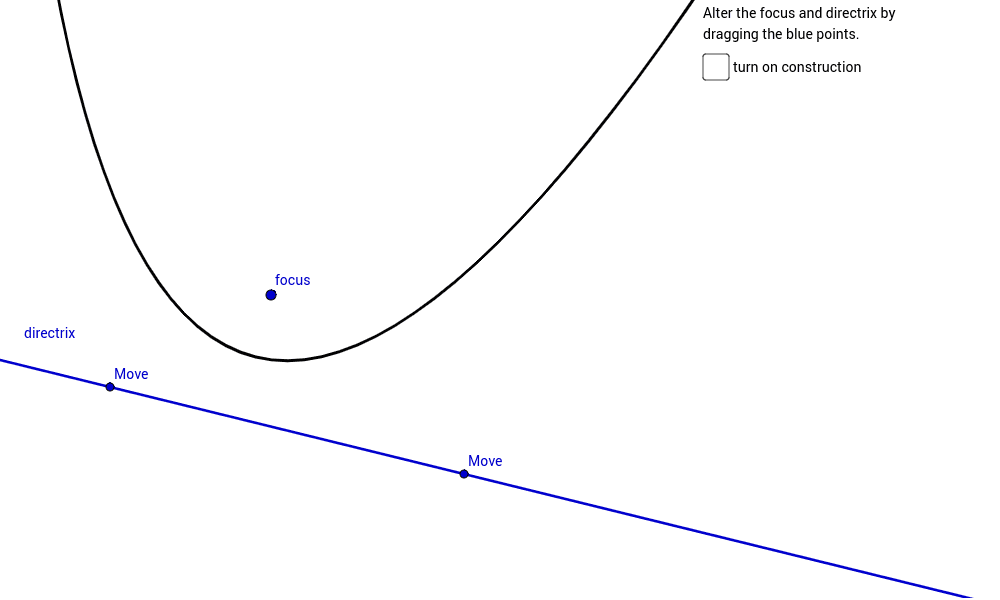
This GeoGebra example demonstrates how to construct a parabola from its focus and directrix, showing that every point on the curve is equidistant from the focus and the directrix. It covers parabola definition, focus, directrix, perpendicular distance, midpoint, segment, intersection, angle, and circle-based auxiliary construction. The construction uses Line and OrthogonalLine to create the directrix and perpendicular reference, Point, Segment, Midpoint, and Intersect to build key points and distance relationships, Circle and Angle to support the equal-distance idea, and Parabola to generate the curve with text labels. Suitable for secondary-school coordinate geometry, conic sections, and geometric construction lessons.
GeoGebra Commands & Parameters
Line(A, B) → aParabola(C, a) → cPoint(a) → FOrthogonalLine(F, a) → bSegment(F, C) → gMidpoint(g) → GOrthogonalLine(G, g) → hIntersect(h, b) → HSegment(C, H) → iSegment(F, H) → jAngle(j, a) → αOrthogonalLine(H, h) → dCircle(H, C) → f
AI Drawing Prompt Reference
Draw a parabola with a focus and directrix. The focus and directrix determine the shape. Every point on the parabola is equidistant from the focus and directrix. Use lines and perpendicular lines to construct the directrix and reference. Find the intersection of the focus and directrix, then use perpendicular lines to locate the vertex. Finally, draw the parabola and add labels.
The prompt above was compiled from the original drawing commands and is for reference only.