
Constructing a Parabola from Directrix and Focus (Geometric Method)
Loading the math board and drawing, please wait…
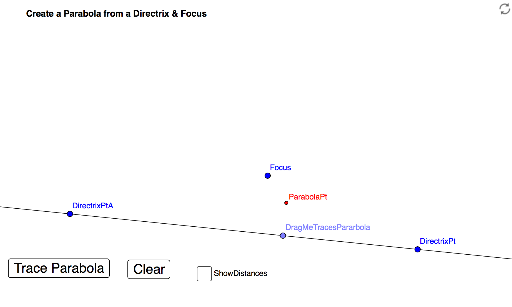
This example demonstrates how to construct points on a parabola using only geometric construction from a given directrix and focus, then trace the locus to reveal the curve. The core mathematical concept is the definition of a parabola: the set of points equidistant from a fixed point (focus) and a fixed line (directrix). The construction uses GeoGebra commands such as Line, Point, OrthogonalLine, Angle, Rotate, Intersect, and Segment to build isosceles triangles that enforce the equal-distance condition. Interactive buttons and sliders allow dynamic exploration, with a draggable point tracing the parabola. This is ideal for middle or high school geometry classes to visualize the parabola's definition and understand the relationship between geometric construction and locus generation.
GeoGebra Commands & Parameters
Line(DirectrixPtA, DirectrixPt) → aPoint(a) → DragMeTracesPararbolaOrthogonalLine(DragMeTracesPararbola, a) → bLine(DragMeTracesPararbola, Focus) → cPoint(b) → EAngle(E, DragMeTracesPararbola, Focus) → αRotate(DragMeTracesPararbola, α, Focus) → D'Angle(DragMeTracesPararbola, Focus, D') → βLine(Focus, D') → dIntersect(b, d) → ParabolaPtSegment(Focus, ParabolaPt) → eSegment(ParabolaPt, DragMeTracesPararbola) → f