
Constructing a Parabola by Patrick J. O'Hara
Loading the math board and drawing, please wait…
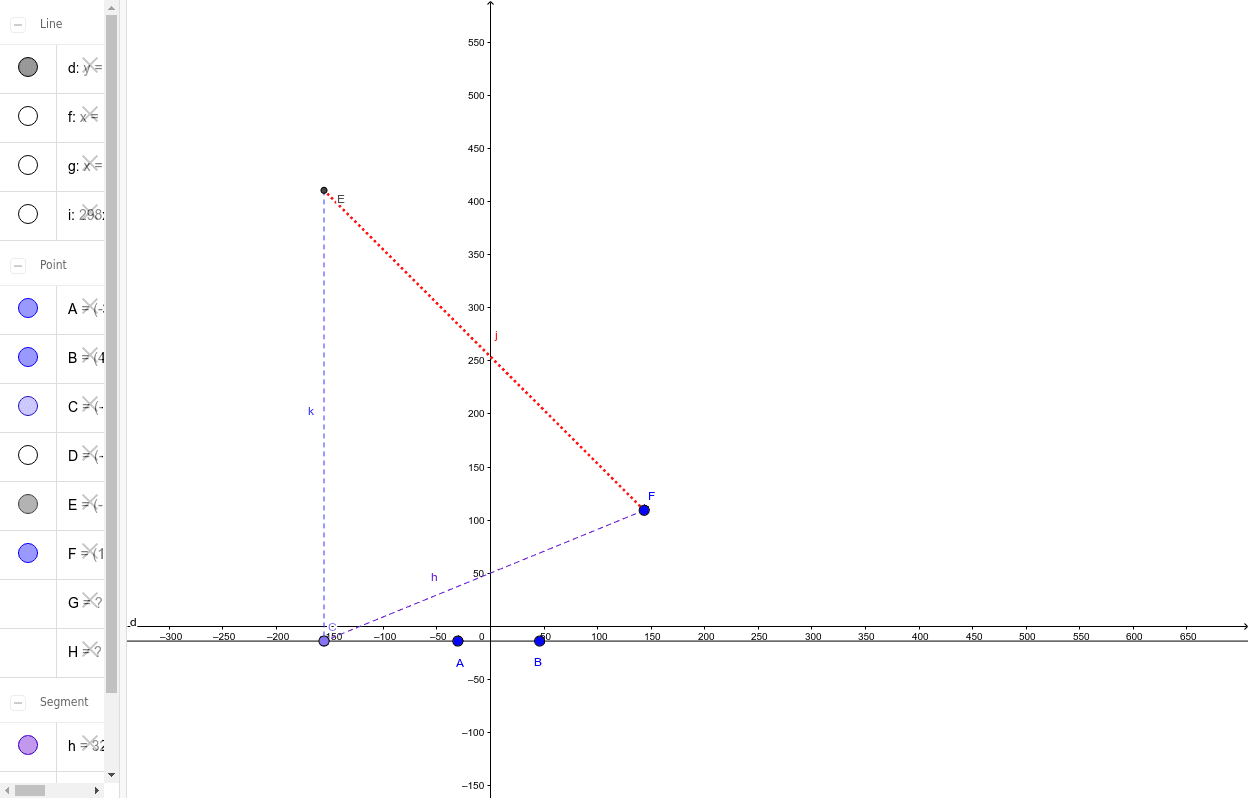
This example demonstrates how to construct a parabola using GeoGebra. Key mathematical concepts include conic sections and properties of parabolas. The construction involves creating a line, a point, an orthogonal line, a segment, a line bisector, and intersections. Suitable for high school mathematics education and learning.
GeoGebra Commands & Parameters
Line(A, B) → dPoint(d) → COrthogonalLine(C, d) → gSegment(F, C) → hLineBisector(h) → iIntersect(h, i) → DIntersect(i, g) → ESegment(E, C) → kSegment(F, E) → jOrthogonalLine(F, d) → fIntersect(f, yAxis) → GIntersect(f, yAxis) → H
AI Drawing Prompt Reference
Draw a parabola by first creating a line AB, then selecting a point C on this line and drawing a line g perpendicular to AB through C. Next, draw a segment from point F to C, and find the perpendicular bisector i of this segment. The intersection of i and g is point D, and the other intersection is point E. Draw a segment from E to C, then draw a line f perpendicular to AB through F. Finally, find the intersections of line f with the y-axis, which are points G and H.
The prompt above was compiled from the original drawing commands and is for reference only.