
Special Right Triangles by Patrick J. O'Hara
Loading the math board and drawing, please wait…
This example demonstrates the properties and constructions of two special right triangles: 30°-60°-90° and 45°-45°-90°. It involves core mathematical concepts such as triangle side-angle relationships, proportionality identities, and calculations of angles and sides. The construction uses commands and objects like Segment, Rotate, Angle, Ray, Dilate, Line, Mirror, and FitLineY in GeoGebra. It is suitable for high school students learning about the geometric properties and applications of special right triangles.
GeoGebra Commands & Parameters
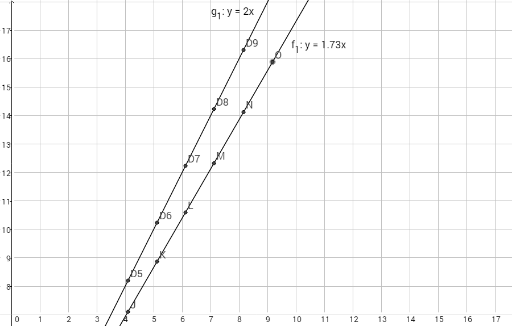
Segment(A, B) → aRotate(B, 90°, A) → B'Angle(B, A, B') → αRay(A, B') → bDilate(B', 1.7320508, A) → CSegment(C, A) → cSegment(C, B) → dAngle(A, C, B) → βAngle(C, B, A) → γRotate(E, 90°, D) → FAngle(E, D, F) → δSegment(E, D) → fSegment(D, F) → gSegment(F, E) → hAngle(D, F, E) → εAngle(F, E, D) → ζSegment(C, A) → jSegment(A, B) → kSegment(B, C) → lSegment(D, E) → mSegment(E, F) → nSegment(F, D) → pLine(B, A) → a_1Mirror(B, c) → B'_1Segment(C, B'_1) → b_1Segment(B'_1, A) → c_1FitLineY(list1) → f_1FitLineY(list2) → g_1
AI Drawing Prompt Reference
Draw a 30°-60°-90° right triangle by first drawing segment AB, then rotating point B 90 degrees to get B', and drawing angle BAC. Next, dilate B' by 1.7320508 to get C, and connect segments AC and BC. Then, draw a 45°-45°-90° isosceles right triangle by drawing segment DE, rotating point E 90 degrees to get F, and connecting segments EF and DF. Finally, draw segments AC, AB, and BC, as well as segments DE, EF, and DF, ensuring all angles and side lengths match the properties of special right triangles.
The prompt above was compiled from the original drawing commands and is for reference only.