
Constructing a 4-inch Radius Circle with a 5-inch Compass
Loading the math board and drawing, please wait…
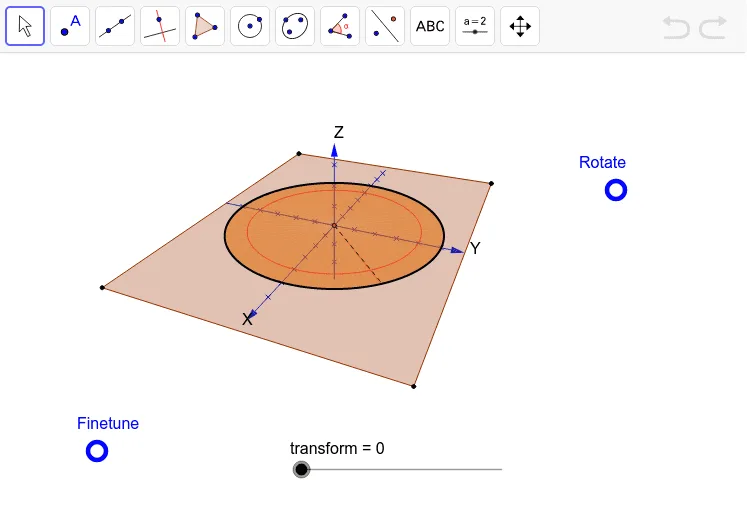
This GeoGebra example demonstrates a classic geometric construction problem: how to draw a circle with a radius of 4 inches using only a compass that is fixed at an opening of 5 inches. The construction cleverly uses auxiliary circles and intersection points to achieve the desired radius without direct measurement. Key mathematical concepts include the definition of a circle, properties of chords and radii, and the principles of compass-and-straightedge construction. The construction employs GeoGebra's 3D tools (Punkt3D, Kurve3D, Polygon, Segment) along with Sequence and Text commands to build and annotate the figure. It is suitable for high school or early college students exploring geometric construction limitations, and for educators demonstrating non-trivial compass-only problems.
GeoGebra Commands & Parameters
XYZakser(Options) → Koordinatsystem3DText("X", Punkt3D[{xmax + 0.2, 0, 0}, Options]) → tekst1Text("Y", Punkt3D[{0, ymax + 0.2, 0}, Options]) → tekst2Text("Z", Punkt3D[{0, 0, zmax + 0.2}, Options]) → tekst3Sequence(Punkt3D[{(t * xskala), 0, 0}, Options], t, (xmin - Mod[xmin, xskala]) / xskala + 1, (xmax - Mod[xmax, xskala]) / xskala - 1) → liste2Sequence(Punkt3D[{0, (t * yskala), 0}, Options], t, (ymin - Mod[ymin, yskala]) / yskala + 1, (ymax - Mod[ymax, yskala]) / yskala - 1) → liste3Sequence(Punkt3D[{0, 0, (t * zskala)}, Options], t, (zmin - Mod[zmin, zskala]) / zskala + 1, (zmax - Mod[zmax, zskala]) / zskala - 1) → liste4Punkt3D({-8, -6, 0}, Options) → H1Punkt3D({8, -6, 0}, Options) → H2Punkt3D({8, 6, 0}, Options) → H3Punkt3D({-8, 6, 0}, Options) → H4Polygon(H1, H2, H3, H4) → polygon1, h1, h2, h3, h4Kurve3D(((5 - transform) * sin(x + π / 4)), ((5 - transform) * cos(x + π / 4)), (0 * x), 0, (((1 + (0.25 * transform)) * 2) * π), Options) → aPunkt3D({0, 0, sqrt(25 - (5 - transform)^(2))}, Options) → CSegment(C, a(0)) → bKurve3D((4 * cos(x)), (4 * sin(x)), (0 * x), 0, 6.283185307179586, Options) → cSegment(C, a((((1 + (0.25 * transform)) * 2) * π))) → dSequence(Polygon[C, a(s), a(s + (1 + (0.25 * transform)) / 10)], s, 0, (((1 + (0.25 * transform)) * 2) * π), (1 + (0.25 * transform)) / 10) → liste1
AI Drawing Prompt Reference
Draw a circle with a radius of 4 inches using a 5-inch compass in 3D space. First, draw a 16-inch square in the XY plane. Then, draw four circles with a 5-inch radius centered at the square's four vertices. Find the intersection points of these circles, which will be the center of the 4-inch radius circle. Next, draw a circle with a 4-inch radius centered at this intersection point. Finally, use the auxiliary circles and intersection points to mark the center and key points.
The prompt above was compiled from the original drawing commands and is for reference only.