
Connecting the Diameter and Circumference of a Circle
Loading the math board and drawing, please wait…
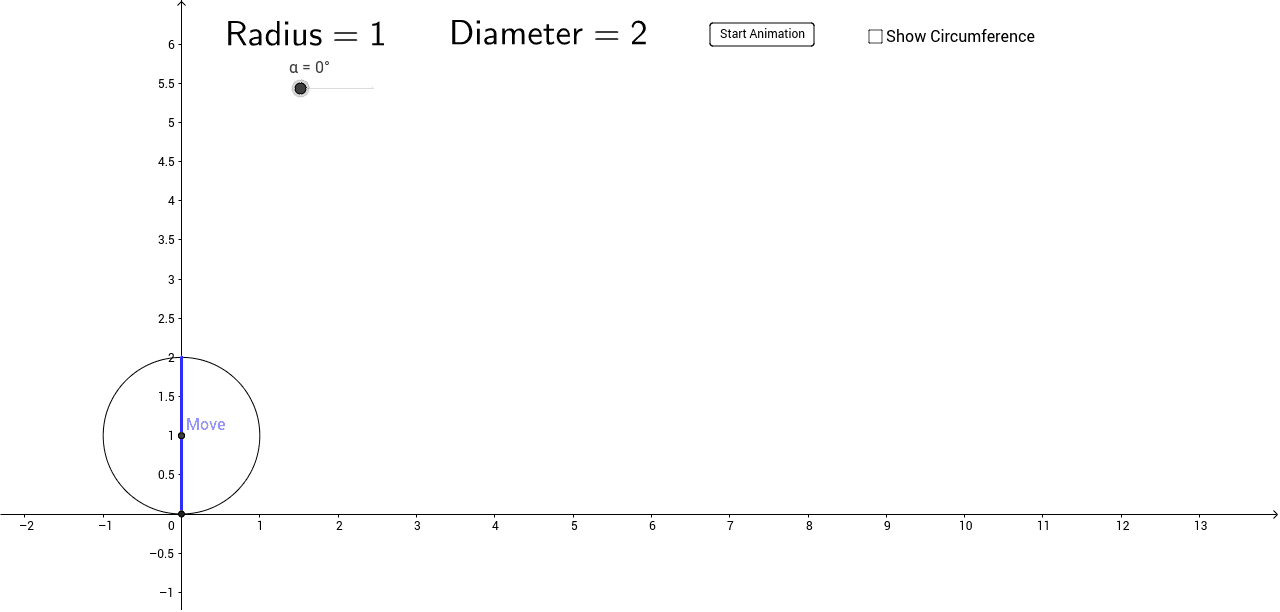
① This example illustrates the relationship between a circle's diameter and its circumference, providing a visual verification of the formula C = π·d. ② Key mathematical concepts include circle perimeter, diameter, the constant π, angle measurement (α), radius (r₁), chord properties, and the use of vectors and coordinates. ③ The construction employs GeoGebra commands such as Point, Line, Circle, Intersect, Distance, Segment, CircleArc, and Rotate, with dynamic objects like Move, α, θ, and s allowing users to adjust parameters and observe changes in real time. ④ Designed for middle school to high school learners, the activity is ideal for geometry construction, mathematical experimentation, and STEAM curricula, fostering spatial reasoning and analytical skills.
GeoGebra Commands & Parameters
Intersect(xAxis, yAxis) → APoint(yAxis) → BRay(A, B) → aPoint(a) → MoveDistance(A, Move) → r_1Circle(P, r_1) → cIntersect(c, xAxis) → D, ERotate(D, -α, P) → D'CircleArc(P, D, D') → dSegment(A, D) → bDistance(A, E) → distanceAEPoint(c) → FDistance(Move, F) → distanceCFDistance(P, F) → rSegment(P, D') → fDistance(A, D') → distanceAD'Distance(A, D') → Dis1Point(Circle[G, Diam]) → HSegment(G, H) → hIntersect(c, f, 1) → LPoint(c) → MDistance(A, D) → impoPoint(Circle[H, Diam]) → ISegment(H, I) → iPoint(Circle[I, Diam]) → JSegment(I, J) → jPoint(Circle[J, π * Diam - 3 * Diam]) → KSegment(J, K) → kLine(D', P) → mPoint(m) → NSegment(D', N) → pIntersect(h, yAxis) → OPoint(p) → QDistance(O, K) → distanceOKDistance(O, K) → oDistance(O, K) → q
AI Drawing Prompt Reference
Draw a circle centered at the origin with its horizontal diameter on the x‑axis; from the origin emit an upward ray and place a movable point on it to set the radius; use an angle slider α to rotate one endpoint of the diameter about the center, creating an arc; show the diameter, chord, arc length and corresponding segment lengths; dynamically measure the arc‑to‑diameter ratio so it approaches π, visually confirming C = π·d.
The prompt above was compiled from the original drawing commands and is for reference only.