
Cone Surface Area Calculation Demo
Loading the math board and drawing, please wait…
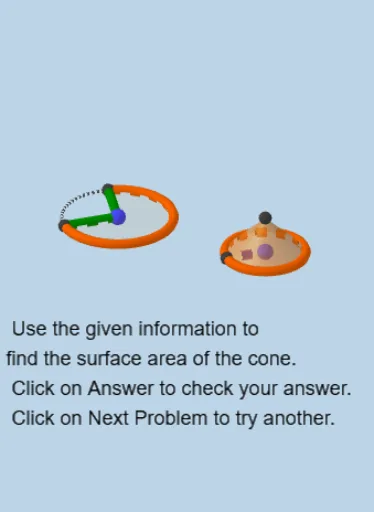
This example demonstrates the calculation method and geometric construction of a cone's surface area. It involves core mathematical concepts such as cone geometry properties, circle area formulas, surface area formulas for rotational bodies, and trigonometric function applications. Key GeoGebra commands used in the construction include Circle, Intersect, Segment, Rotate, Angle, CircleArc, CircleSector, Area, PointIn, OrthogonalLine, OrthogonalPlane, Cone, and Midpoint. It is suitable for high school mathematics teaching on solid geometry, providing an intuitive understanding of the composition and calculation of cone surface area.
GeoGebra Commands & Parameters
Circle(A, radius) → cIntersect(c, xAxis, 2) → BSegment(A, B) → fCircle(C, b) → dIntersect(d, g, 2) → DSegment(C, D) → hRotate(D, α, C) → D'Angle(D, C, D') → βSegment(C, D') → iCircleArc(C, D, D') → eCircleSector(C, D, D') → kArea(c) → aPointIn(c) → PointcArea(k) → lPointIn(k) → PointkOrthogonalLine(A, xOyPlane) → qOrthogonalPlane(A, xAxis) → oCircle(A, n, o) → rIntersect(q, r) → F, GCone(A, F, f) → s, t, uMidpoint(C, D) → HMidpoint(f) → I
AI Drawing Prompt Reference
Draw a cone to demonstrate the calculation of its surface area. Start by drawing a circle and finding its intersections with the x-axis. Connect the center of the circle to one intersection point. Then, draw a circle with the cone's vertex as the center and find its intersections with a line. Connect the vertex to these intersection points. Rotate one intersection point around the vertex and connect them. Draw a circular arc and sector to represent the cone's lateral surface. Calculate the area of the circle and the sector, and label the base and lateral surface of the cone. Finally, draw a cone using the vertex and one side of the base as axes to show the calculation process of the surface area.
The prompt above was compiled from the original drawing commands and is for reference only.