
Cone Surface Area Calculation by a.schwing
Loading the math board and drawing, please wait…
In collections
Schwing Surface Area Geogebra Book
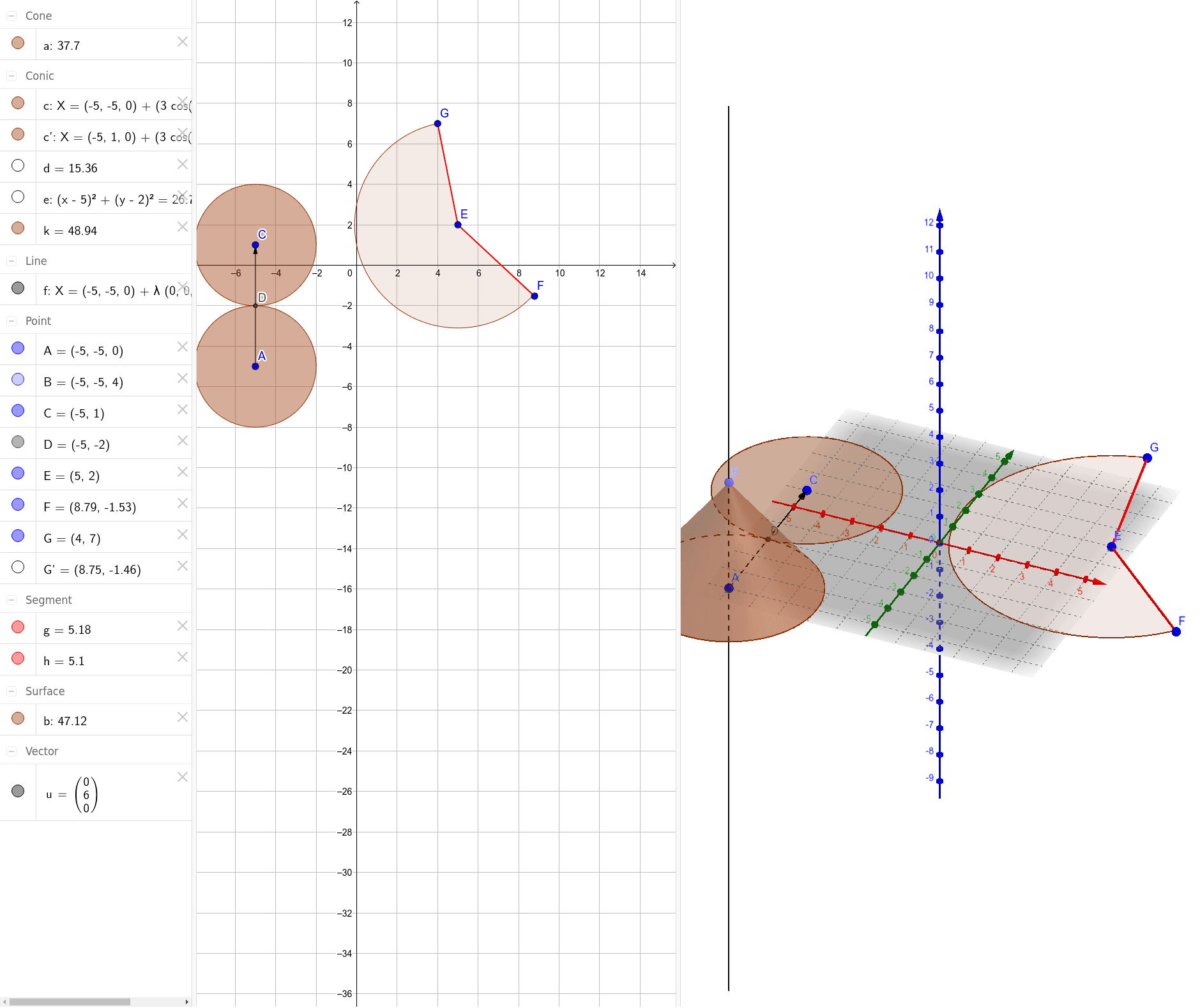
This example demonstrates how to draw a cone and calculate its surface area using GeoGebra. The core mathematical concepts involved include solid geometry, area calculation, and vector operations. Key construction steps utilize commands and objects such as OrthogonalLine (orthogonal line), Point (point), Cone (cone), Vector (vector), Translate (translation), Intersect (intersection), Segment (segment), Semicircle (semicircle), Circle (circle), Rotate (rotation), and CircleSector (circle sector). It is suitable for high school students learning about the geometric properties of cones and the surface area formula.
GeoGebra Commands & Parameters
OrthogonalLine(A, xOyPlane) → fPoint(f) → BCone(A, B, 3) → a, c, bVector(A, C) → uTranslate(c, u) → c'Intersect(c, c', 1) → DSegment(E, F) → gSegment(E, G) → hSemicircle(F, G) → dCircle(E, F) → eRotate(G, 216°, E) → G'CircleSector(E, G, F) → k
AI Drawing Prompt Reference
Draw a cone with its base circle centered on a horizontal plane and its apex directly above the center. From the apex, draw a slant edge to a point on the base circumference, and draw the base circle. Translate the base circle horizontally to create a second circle that intersects the original at one point. On the base, draw a diameter segment)Skip, and use this diameter as a semicircle. Also draw a circle centered at the base center with radius equal to the slant edge. Rotate one endpoint of the diameter by 216 degrees around the center to get a new point, then form a sector using the center, the new point, and the original endpoint, representing part of the cone's lateral surface unfolded. Show the cone's 3D structure and its related sector.
The prompt above was compiled from the original drawing commands and is for reference only.