
Cone & Cylinder from Revolution by Natalie Casalinuovo
Loading the math board and drawing, please wait…
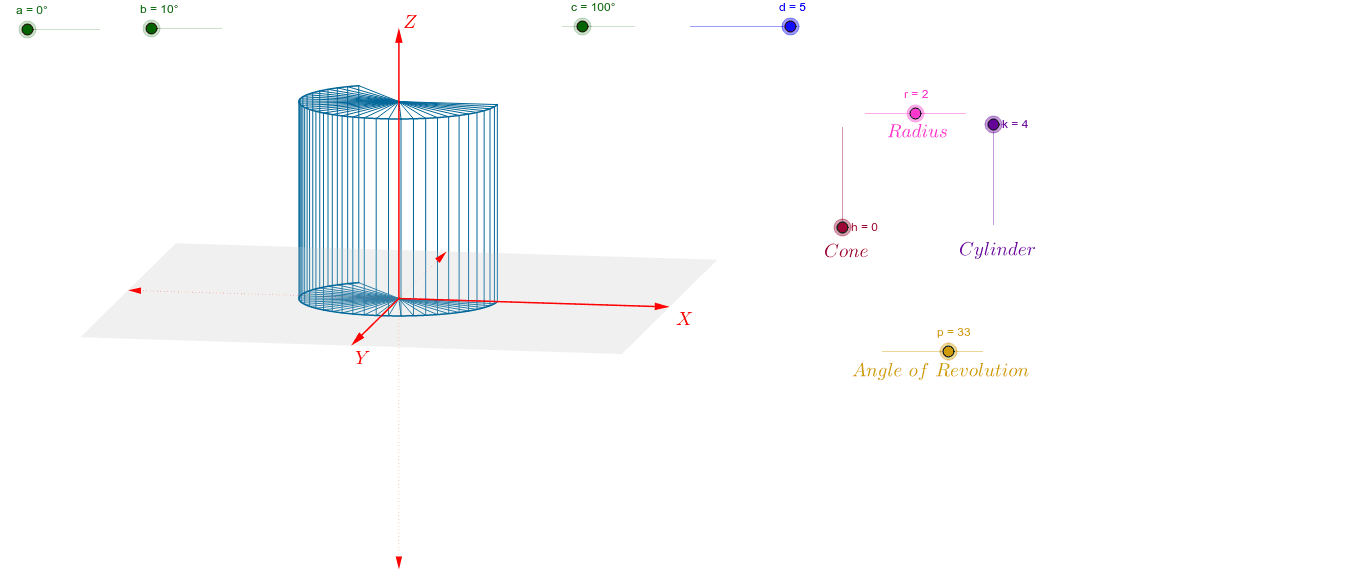
This example demonstrates the creation of cones and cylinders as solids of revolution. Key math concepts include solids of revolution, volume calculation, derivatives, and coordinate geometry. Construction highlights the use of GeoGebra commands/objects like Vector, Polygon, Sequence, and CurveCartesian. Suitable for high school and above students learning solid geometry, calculus, and volume computation.
GeoGebra Commands & Parameters
Vector(1.1 * d * W_x) → uVector(1.1 * d * W_y) → vVector(1.1 * d * W_z) → wPolygon(1.1 * d * (W_x + W_y), 1.1 * d * (-W_x + W_y), 1.1 * d * (-W_x - W_y), 1.1 * d * (W_x - W_y)) → poly1, g, i, j, lSequence(r * cos(0.125 * i) * W_x + r * sin(0.125 * i) * W_y, i, 0, p) → list1Sequence(r * cos(0.125 * i) * W_x + r * sin(0.125 * i) * W_y + k * W_z, i, 0, p) → list3CurveCartesian(x(r * cos(0.125 * i) * W_x + r * sin(0.125 * i) * W_y), y(r * cos(0.125 * i) * W_x + r * sin(0.125 * i) * W_y), i, 0, p) → e_1CurveCartesian(x(r * cos(0.125 * t) * W_x + r * sin(0.125 * t) * W_y + k * W_z), y(r * cos(0.125 * t) * W_x + r * sin(0.125 * t) * W_y + k * W_z), t, 0, p) → e_2Sequence(Segment[A, Element[list1, i]], i, 1, p + 1) → list2Sequence(Segment[Element[list1, i], Element[list3, i]], i, 1, p + 1) → list4Sequence(Segment[(0, 0) + k * W_z, Element[list3, i]], i, 1, p + 1) → list5
AI Drawing Prompt Reference
Create a cone and a cylinder to demonstrate their generation as solids of revolution. Start by constructing two vectors and a quadrilateral. Then generate two lists representing the profiles of the cone and cylinder by rotating a circle. Use curve commands to draw the surfaces of the cone and cylinder, connecting the points on the lists to form closed curves. Finally, draw line segments connecting each point on the profiles to the apex to visualize the solids of revolution.
The prompt above was compiled from the original drawing commands and is for reference only.