
Compound Interest Model and Questions
Loading the math board and drawing, please wait…
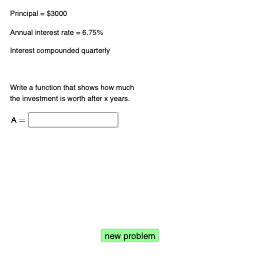
This example demonstrates the compound interest model and related questions. It involves core mathematical concepts such as exponential functions and natural numbers. Using GeoGebra commands like Sequence, Random, If, etc., a dynamic graph of the compound interest model can be constructed. Suitable for high school and above students to learn compound interest calculation and related mathematical concepts.
GeoGebra Commands & Parameters
Sequence(1000, 30000, 1000) → PlistRandom(1, 6) → chooserIf(chooser ≟ 1, 1, chooser ≟ 6, Infinity, chooser ≟ 2, 2, chooser ≟ 3, 4, chooser ≟ 4, 12, chooser ≟ 5, 365) → nSequence(i, i, 2, 8, 0.01) → rlistRandomElement(rlist) → rRandomElement(Plist) → PIf(chooser ≤ 5, (P * (1 + r / 100 / n)^((n * x))), (P * ℯ^((r / 100 * x)))) → fIf(chooser ≤ 5, f, g) → qRandom(round((1.2 * P), 0), round((2.5 * P), 0)) → ARandom(0, 1) → contSequence(i, i, 3, 20, 0.1) → timelistRandomElement(timelist) → timeRandomElement({1.5, 2, 2.5, 3}) → scalarIf(chooser ≟ 1, "annually", "continuously", chooser ≟ 2, "biannually", chooser ≟ 3, "quarterly", chooser ≟ 4, "monthly", chooser ≟ 5, "daily") → text1Textfield(g) → InputBox1Textfield(a) → InputBox2Textfield(b) → InputBox3Intersect(q, h, (9.853928433047047, 5802)) → BIf(round(x(B), 2) ≟ b, "√", "X") → text11Textfield(c) → InputBox4If(g ≟ q, "√", "X") → text7If(round(q(time), 2) ≟ a, "√", "X") → text10Intersect(q, p, (13.688894406566929, 7500)) → CIf(round(x(C), 2) ≟ c, "√", "X") → text12
AI Drawing Prompt Reference
Create a dynamic graph demonstrating the compound interest model, featuring a list of initial amounts, randomly selected time periods, interest rates, and calculated compound interest results. The graph should display growth curves for different compounding frequencies (annually, biannually, quarterly, monthly, daily), with key points and calculated outcomes marked, such as amounts at specific times and comparison results, to illustrate the relationship between compound interest calculations and probability choices.
The prompt above was compiled from the original drawing commands and is for reference only.