
Completing the Square for Quadratic Functions
Loading the math board and drawing, please wait…
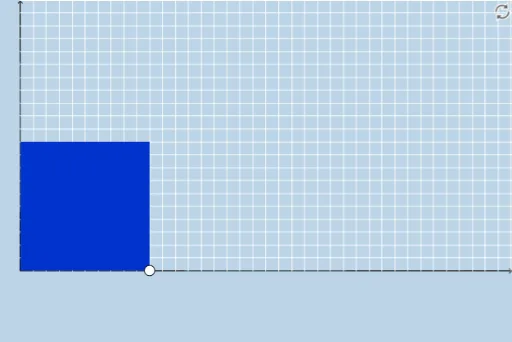
This example demonstrates solving quadratic functions using the method of completing the square. Key math concepts include quadratic functions, completing the square, and geometric construction. It uses commands like Segment, Polygon, Sequence, Point, etc., in GeoGebra. Suitable for middle school and above students to learn the properties and solving methods of quadratic functions.
GeoGebra Commands & Parameters
Segment(A, B) → fSegment(D, C) → hSegment(C, A) → iPolygon(A, B, D, C) → poly1, a_1, b_1, d, cSequence((a + i, 0), i, 0, abs(b / 2), 1) → bottomsSequence((a + i, a), i, 0, abs(b / 2), 1) → topsSequence((0, a + i), i, 0, abs(b / 2), 1) → leftsSequence((a, a + i), i, 0, abs(b / 2), 1) → rightsSequence(Dilate[Element[bottoms, i], If[0 < g ≤ 1, 1 - g, 0], Element[tops, i]], i, 0, abs(b / 2) + 1, 1) → bottomsmoveSequence(Dilate[Element[lefts, i], If[1 < g ≤ 2, 2 - g, 0], Element[rights, i]], i, 0, abs(b / 2) + 1, 1) → leftsmovePoint(bottomsmove) → ESegment(B, E) → jDilate(C, If[1 < g ≤ 2, 2 - g, 0], D) → C'Segment(C, C') → kPolygon(D, H, F, G) → poly2, d_1, h_1, f_1, g_1Dilate(H, If[2 < g ≤ 3, 3 - g, 0], F) → H'Dilate(G, If[2 < g ≤ 3, 3 - g, 0], F) → G'Dilate(I, If[2 < g ≤ 3, 3 - g, 0], A) → I'Segment(I, I') → lRotate(I, If[3 < g ≤ 4, ((-(g - 3)) * π / 2), ((-π)) / 2], A) → I'_1Rotate(I', If[3 < g ≤ 4, ((-(g - 3)) * π / 2), ((-π)) / 2], A) → I''Segment(I'_1, I'') → l'Rotate(I'_1, If[4 < g ≤ 5, ((-(g - 4)) * π / 2), ((-π)) / 2], I'_1) → JRotate(I'', If[4 < g ≤ 5, ((-(g - 4)) * π / 2), ((-π)) / 2], I'_1) → I'''Segment(J, I''') → l''Dilate(A, If[5 < g ≤ 6, 6 - g, 0], I) → A'Vector(A, A') → uTranslate(I'_1, u) → KTranslate(I'', u) → I'''_1Segment(K, I'''_1) → l''_1Sequence(Segment[Element[bottoms, i + 1], Element[bottomsmove, i + 2]], i, 1, abs(b / 2), 1) → list1Sequence(Segment[Element[lefts, i + 1], Element[leftsmove, i + 2]], i, 1, abs(b / 2), 1) → list2Sequence(Polygon[Element[bottoms, i], Element[bottoms, i + 1], Element[tops, i + 1], Element[tops, i]], i, 1, abs(b / 2), 1) → list3Sequence(Polygon[Element[lefts, i], Element[lefts, i + 1], Element[rights, i + 1], Element[rights, i]], i, 1, abs(b / 2), 1) → list4Distance(D, F) → distanceDFTextfield(b) → InputBox1
AI Drawing Prompt Reference
Draw a graph of a quadratic function. First, draw a parabola as the main shape. Then, construct the vertex and mark the coordinate axes. Next, add the axis of symmetry and intercepts. Finally, adjust the position and scale to make the graph clear.
The prompt above was compiled from the original drawing commands and is for reference only.