
Complementary Counting
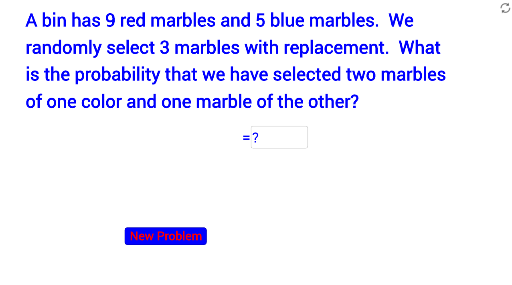
Loading the math board and drawing, please wait…
In collections
Probability Review
This example demonstrates the use of complementary counting to solve problems. Key mathematical concepts include angles, ratios, and polygons. Using GeoGebra commands such as Random, Element, and Textfield, a dynamic polygon is constructed to illustrate the relationships between different angles and ratios. Suitable for middle school and above students learning geometry and probability statistics.
GeoGebra Commands & Parameters
Random(1, 2) → ptypeRandom(4, 10) → bRandom(4, 10) → aElement({b^(3) / (a + b)^(3), Binomial[b, c] / Binomial[a + b, c]}, ptype) → allblueElement({a^(3) / (a + b)^(3), Binomial[a, c] / Binomial[a + b, c]}, ptype) → allredTextfield(ans) → inputBox1RandomElement({"Not Quite", "Try Again"}) → eresIf((ans - cans)^(2) < 0.001, true, false) → acorRandomElement({"Good Job", "Great!", "Way to Go!", "Awesome"}) → text5Element(sellist, ptype) → rtype
AI Drawing Prompt Reference
Create a polygon with the number of sides determined by two random numbers, one for angle ratios and the other for probability calculations. Adjust the number of sides dynamically to observe changes in angles and ratios, and understand the concept of complementary counting.
The prompt above was compiled from the original drawing commands and is for reference only.