
Comparison of Two Spheres
Loading the math board and drawing, please wait…
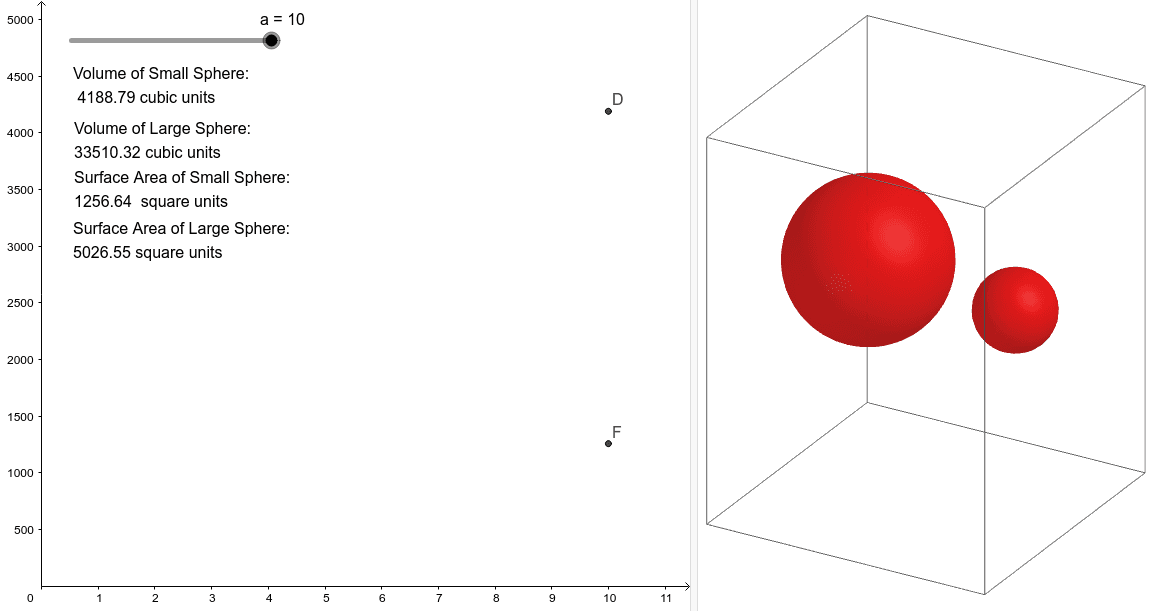
This GeoGebra applet compares the surface area and volume of two spheres, where the radius of one sphere is twice that of the other. It provides a visual understanding of the geometric properties of spheres and how their surface area and volume change with the radius. Key mathematical concepts include the formulas for the surface area and volume of spheres. Using GeoGebra commands such as Sphere, Volume, and PointIn, the size of the spheres can be dynamically adjusted to observe changes in their surface area and volume. Suitable for high school mathematics education and learning.
GeoGebra Commands & Parameters
Sphere(A, a) → bSphere(B, (2 * a)) → cVolume(c) → volumecPointIn(c) → Pointc_1Volume(b) → volumebPointIn(b) → PointbVolume(c) → dPointIn(c) → Pointc_2Volume(c) → ePointIn(c) → Pointc
AI Drawing Prompt Reference
Draw two spheres with different radii, where the radius of one sphere is twice that of the other. Calculate and display the volume of each sphere, and place a random point on each sphere. Observe the difference in volume between the two spheres.
The prompt above was compiled from the original drawing commands and is for reference only.