
Comparing Small Numbers
Loading the math board and drawing, please wait…
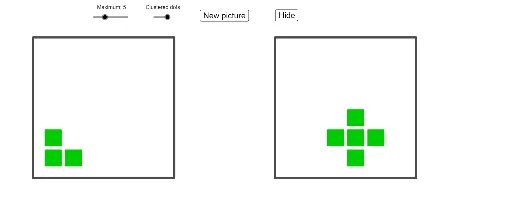
This example demonstrates visualizing the comparison of small numbers. Core math concepts include number line, value comparison, and geometric representation. Construction highlights the use of GeoGebra commands like Flatten, Element, RandomElement, Zip, First, Random, Polygon, along with objects such as grids, backgrounds, sliders, and random number generation. Suitable for middle school mathematics teaching to help students intuitively understand number comparison methods.
GeoGebra Commands & Parameters
Flatten(Sequence[Sequence[Point[{i, j}], i, 0, gridSize - 1], j, 0, gridSize - 1]) → leftBackgroundFlatten(Sequence[Sequence[Point[{i, j}], i, (2 * gridSize), (3 * gridSize) - 1], j, 0, gridSize - 1]) → rightBackgroundElement({3, 5, 10, 20}, maxSlider) → maxNumberRandomElement(leftBackground) → leftStarterZip(Distance[AA, leftStarter], AA, leftBackground) → leftDistancesFirst(Sort[leftBackground, leftDistances], Element[{5, 9, 13, 25}, maxSlider]) → leftPossibleRandom(0, maxNumber) → leftSizeFirst(If[randomOrClustered ≟ 0, Shuffle[leftBackground], leftPossible], leftSize) → leftUsingZip(Polygon[AA + (-0.4, -0.4), AA + (0.4, -0.4), 4], AA, leftUsing) → leftSquaresZip(Circle[AA, 0.4], AA, leftUsing) → leftCirclesRandomElement(rightBackground) → rightStarterRandom(0, maxNumber) → rightSizeZip(Distance[AA, rightStarter], AA, rightBackground) → rightDistancesFirst(Sort[rightBackground, rightDistances], Element[{5, 9, 13, 25}, maxSlider]) → rightPossibleFirst(If[randomOrClustered ≟ 0, Shuffle[rightBackground], rightPossible], rightSize) → rightUsingZip(Polygon[AA + (-0.4, -0.4), AA + (0.4, -0.4), 4], AA, rightUsing) → rightSquaresRandomElement({{1, 0, 0}, {1, 1, 0}, {0, 0, 1}, {0, 0.8, 0}, {1, 0.68, 0}}) → color, {0, 0.8, 0}Zip(Circle[AA, 0.4], AA, rightUsing) → rightCirclesRandomElement({"circles", "squares"}) → circlesOrSquaresPolygon((-1, -1), (gridSize, -1), 4) → leftBorderPolygon(((2 * gridSize) - 1, -1), ((3 * gridSize), -1), 4) → rightBorder
AI Drawing Prompt Reference
On a grid background, use circles and squares of two different colors to represent two sets of randomly generated values, with the size of each determined by the nearest object to a central point, distinguishing the left and right areas with different shapes to show the geometric representation of value comparison.
The prompt above was compiled from the original drawing commands and is for reference only.