
Comparing Equations of Two Straight Lines
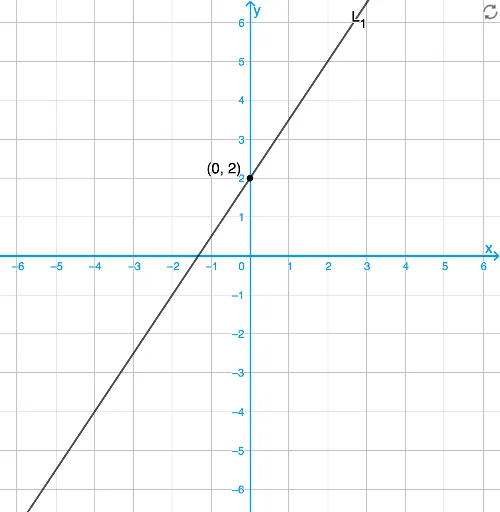
Loading the math board and drawing, please wait…
This example demonstrates how to analyze the geometric relationship between two straight lines by comparing their equations. Key mathematical concepts include the equation of a line, slope, and intercept. GeoGebra commands such as Angle, Intersect, and Join are used for dynamic geometric construction. Suitable for students at the junior high school level and above to learn about linear equations and geometric transformations.
GeoGebra Commands & Parameters
Angle(L_2, L_1) → αIntersect(L_1, L_2) → CJoin({{Intersect[L_1, xAxis], Intersect[L_1, yAxis]}, If[showL1 ∧ showL2 ∧ Defined[C], {C}, {}]}) → list1Join({{Intersect[L_2, xAxis], Intersect[L_2, yAxis]}, If[showL1 ∧ showL2 ∧ Defined[C], {C}, {}]}) → list2Point(L_1) → A'Point(L_2) → B'ClosestPoint(list1, A') → Q_1ClosestPoint(list2, B') → Q_2DynamicCoordinates(A', If[Distance[A', Q_1] < d, x(Q_1), x(A')], If[Distance[A', Q_1] < d, y(Q_1), y(A')]) → ADynamicCoordinates(B', If[Distance[B', Q_2] < d, x(Q_2), x(B')], If[Distance[B', Q_2] < d, y(Q_2), y(B')]) → BSlope(L_1) → m_3Slope(L_2) → m_4
AI Drawing Prompt Reference
Draw two straight lines and analyze their geometric relationship by comparing their equations. Start by drawing the two lines, then find their intersection points and the points where they meet the coordinate axes. Next, locate the closest points on each line to given points and use these points to dynamically generate the equations of the lines. Finally, calculate the slopes of the two lines.
The prompt above was compiled from the original drawing commands and is for reference only.