
Compare the Size of Fractions
Loading the math board and drawing, please wait…
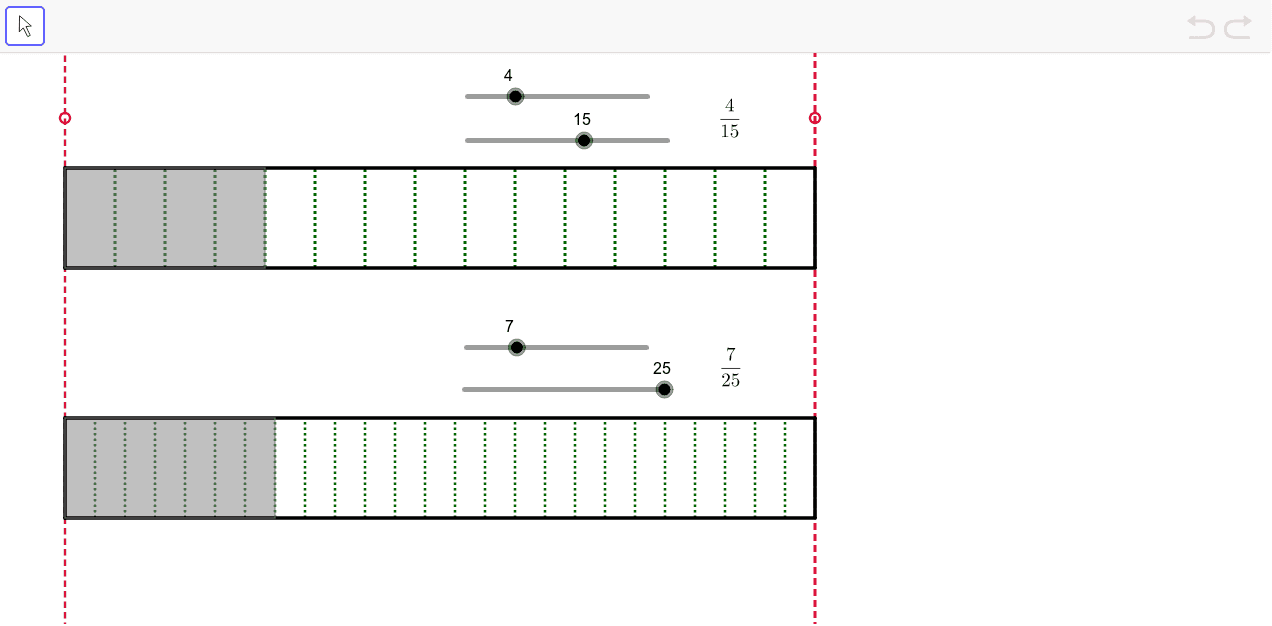
This example demonstrates how to compare the sizes of different fractions using geometric figures. The core mathematical concepts involved are the comparison of fractions. The construction points include using the Sequence command to generate a series of fractions, using the Segment command to draw line segments, and using the Polygon command to construct polygons. Suitable for high-grade elementary or junior high school students to learn fraction comparison.
GeoGebra Commands & Parameters
Sequence(Segment[(x(A) + k, y(A)), (x(A) + k, y(A) + w)], k, l / n, l, l / n) → list1Segment(A, B) → aSegment(B, C) → bSegment(C, D) → cSegment(D, A) → dPolygon(A, (x(A) + (l * i / n), y(A)), (x(A) + (l * i / n), y(A) + w), D) → poly1, e, f, g, hSequence(Segment[(x(E) + k, y(E)), (x(E) + k, y(E) + w)], k, l / m, l, l / m) → list2Segment(E, F) → j_1Segment(F, G) → kSegment(G, H) → pSegment(H, E) → qPolygon(E, (x(E) + (l * j / m), y(E)), (x(E) + (l * j / m), y(E) + w), H) → poly2, r, s, t, a_1Line(P, yAxis) → b_1Line(Q, yAxis) → c_1