
Colorful Box Geometry Exercise: Parallelogram Area Calculation
Loading the math board and drawing, please wait…
In collections
Parallelogramm und Raute: Flächeninhalt
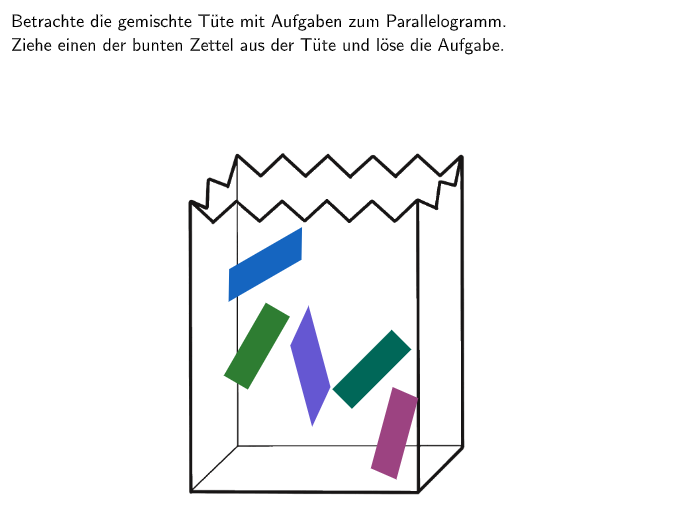
This example demonstrates how to use a colorful box as a visual aid to calculate the area of a parallelogram. The key mathematical concepts include the formula for the area of a parallelogram (base × height) and its derivation. Construction involves using GeoGebra commands such as Polygon, PointIn, IsInRegion to create the parallelogram shape and annotate the area calculation steps. Suitable for students in grades 5-6 for classroom practice or online learning platforms.
GeoGebra Commands & Parameters
Polygon(TüteBound1_{4}, TüteBound1_1, TüteBound1_2, TüteBound1_3) → TüteBound1, tütebound1_{4}, tütebound1_1, tütebound1_2, tütebound1_3PointIn(TüteBound1) → Zettel1Anchor_1Polygon(Zettel1Anchor_1, Zettel1Anchor_2, Zettel1Anchor_3, Zettel1Anchor_4) → Zettel1, zettel1anchor_1, zettel1anchor_2, zettel1anchor_3, zettel1anchor_4PointIn(TüteBound1) → Zettel2Anchor_1PointIn(TüteBound1) → Zettel3Anchor_1PointIn(TüteBound1) → Zettel4Anchor_1Polygon(Zettel2Anchor_1, Zettel2Anchor_2, Zettel2Anchor_3, Zettel2Anchor_4) → Zettel2, zettel2anchor_1, zettel2anchor_2, zettel2anchor_3, zettel2anchor_4Polygon(Zettel3Anchor_1, Zettel3Anchor_2, Zettel3Anchor_3, Zettel3Anchor_4) → Zettel3, zettel3anchor_1, zettel3anchor_2, zettel3anchor_3, zettel3anchor_4Polygon(Zettel4Anchor_1, Zettel4Anchor_2, Zettel4Anchor_3, Zettel4Anchor_4) → Zettel4, zettel4anchor_1, zettel4anchor_2, zettel4anchor_3, zettel4anchor_4Polygon(TüteBound2_1, TüteBound2_2, TüteBound2_3, TüteBound2_4) → TüteBound2, tütebound2_1, tütebound2_2, tütebound2_3, tütebound2_4PointIn(TüteBound2) → Zettel5Anchor_1PointIn(TüteBound2) → Zettel6Anchor_1PointIn(TüteBound2) → Zettel7Anchor_1PointIn(TüteBound2) → Zettel8Anchor_1Polygon(Zettel5Anchor_1, Zettel5Anchor_2, Zettel5Anchor_3, Zettel5Anchor_4) → Zettel5, zettel5anchor_1, zettel5anchor_2, zettel5anchor_3, zettel5anchor_4Polygon(Zettel6Anchor_1, Zettel6Anchor_2, Zettel6Anchor_3, Zettel6Anchor_4) → Zettel6, zettel6anchor_1, zettel6anchor_2, zettel6anchor_3, zettel6anchor_4Polygon(Zettel7Anchor_1, Zettel7Anchor_2, Zettel7Anchor_3, Zettel7Anchor_4) → Zettel7, zettel7anchor_1, zettel7anchor_2, zettel7anchor_3, zettel7anchor_4Polygon(Zettel8Anchor_1, Zettel8Anchor_2, Zettel8Anchor_3, Zettel8Anchor_4) → Zettel8, zettel8anchor_1, zettel8anchor_2, zettel8anchor_3, zettel8anchor_4Polygon(DecisionBound_1, DecisionBound_2, DecisionBound_3, DecisionBound_4) → DecisionArea, decisionbound_1, decisionbound_2, decisionbound_3, decisionbound_4IsInRegion(Zettel1Anchor_1, DecisionArea) → zettel1decIsInRegion(Zettel2Anchor_1, DecisionArea) → zettel2decIsInRegion(Zettel3Anchor_1, DecisionArea) → zettel3decIsInRegion(Zettel4Anchor_1, DecisionArea) → zettel4decIsInRegion(Zettel5Anchor_1, DecisionArea) → zettel5decIsInRegion(Zettel6Anchor_1, DecisionArea) → zettel6decIsInRegion(Zettel7Anchor_1, DecisionArea) → zettel7decIsInRegion(Zettel8Anchor_1, DecisionArea) → zettel8decPolygon(AngabeAnchor_1, AngabeAnchor_2, AngabeAnchor_3, AngabeAnchor_4) → Angabe, angabeanchor_1, angabeanchor_2, angabeanchor_3, angabeanchor_4Segment(UmrandungAnchor_1, UmrandungAnchor_2) → Umrandung_1Segment(UmrandungAnchor_2, UmrandungAnchor_{4}) → Umrandung_2Segment(UmrandungAnchor_{4}, UmrandungAnchor_3) → Umrandung_3Segment(UmrandungAnchor_3, UmrandungAnchor_1) → Umrandung_4Textfield(input1) → InputBox1Textfield(input2) → InputBox2Textfield(input3) → InputBox3Polygon({G_1, G_1 + (qsize, 0), G_1 + (qsize, (-qsize)), G_1 + (0, (-qsize))}) → ex1Area1Translate(ex1Area1, (dist, 0)) → ex1Area2Translate(ex1Area2, (dist, 0)) → ex1Area3Midpoint(Corner[Ex1Para1_{1}, 1], Corner[Ex1Para1_{1}, 3]) → Ex1Para1PosMidpoint(Corner[Ex1Para2_{1}, 1], Corner[Ex1Para2_{1}, 3]) → Ex1Para2PosMidpoint(Corner[Ex1Para3_{1}, 1], Corner[Ex1Para3_{1}, 3]) → Ex1Para3PosIsInRegion(Ex1Para3Pos, ex1Area1) → ex1box1correctIsInRegion(Ex1Para1Pos, ex1Area2) → ex1box2correctIsInRegion(Ex1Para2Pos, ex1Area3) → ex1box3correctTranslate(MCVR1, (0, (-dist2))) → MCVR2Translate(MCVR2, (0, (-dist2))) → MCVR3Translate(MCVR3, (0, (-dist2))) → MCVR4Translate(MCVR4, (0, (-dist2))) → MCVR5Translate(MCVR5, (0, (-dist2))) → MCVR6
AI Drawing Prompt Reference
Draw a colorful box to visually aid in calculating the area of a parallelogram. Show the basic construction of the parallelogram, labeling the base and height, and differentiate the box's sections with different colors. Start by drawing the outer frame of the box, then create the parallelogram inside, marking key points and regions. Finally, add input boxes for formulas and calculation steps to visualize the area derivation process.
The prompt above was compiled from the original drawing commands and is for reference only.