
Circular Grid 8.2.2 Lesson
Loading the math board and drawing, please wait…
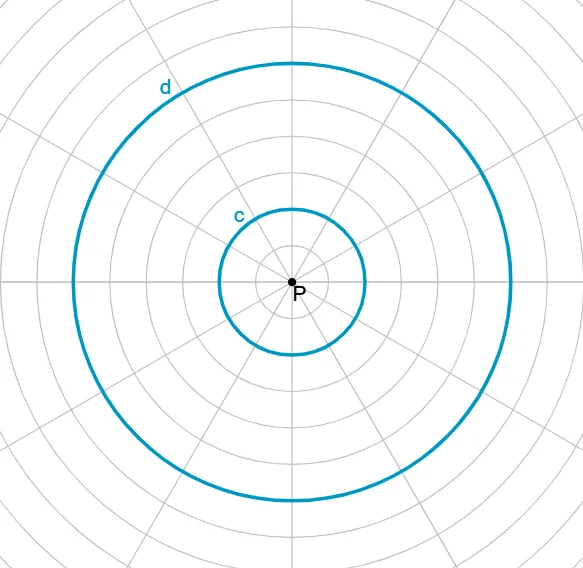
This example demonstrates the construction of a circular grid, focusing on the geometric properties of circles. Using the GeoGebra command Circle, users can create a dynamic circular grid to explore the relationship between points on the circumference and the center of the circle. Suitable for middle school students to learn about concepts such as circumferential angles and chords.
GeoGebra Commands & Parameters
Circle(P, 2) → cCircle(P, 6) → d
AI Drawing Prompt Reference
Draw a circular grid centered at point P, consisting of two concentric circles. The inner circle has a radius of 2 units, and the outer circle has a radius of 6 units. Both circles share the same center P, creating a clear layered structure. Emphasize the center point P and illustrate the geometric relationships between points on the circumference and the center, such as radii, chords, and inscribed angles. The overall composition should be simple and suitable for middle school geometry learning to understand fundamental properties of circles.
The prompt above was compiled from the original drawing commands and is for reference only.