
Circle Construction
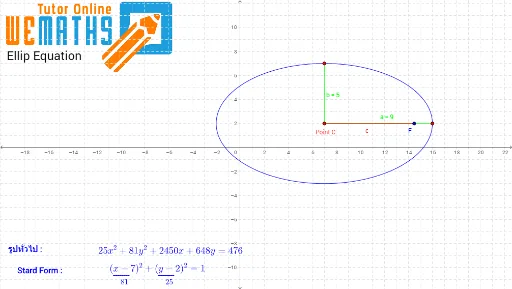
Loading the math board and drawing, please wait…
This example demonstrates how to construct a circular ring using GeoGebra, involving concepts like equations, conditional probability, rectangles, prisms, subtraction, and median lines. Key GeoGebra commands and objects used include Point, Segment, If, and elements like C, k, qy, A, a, h, qx, B, b. Suitable for high school mathematics education, showcasing the integration of geometric construction and probability statistics.
GeoGebra Commands & Parameters
Point(qy) → ASegment(C, A) → aPoint(qx) → BSegment(C, B) → bIf(a > b, (h + c, k), (h, k + c)) → FSegment(C, F) → c123
AI Drawing Prompt Reference
Draw a circular ring involving two points and line segments connecting them. Start by drawing a line segment from the first point to the second. Then, based on the length comparison between the first and second line segments, draw a new line segment from the first point, positioning it accordingly. Finally, draw a line segment from the center connecting to the new line segment to form the ring structure.
The prompt above was compiled from the original drawing commands and is for reference only.