
Circle and Line Exploration
Loading the math board and drawing, please wait…
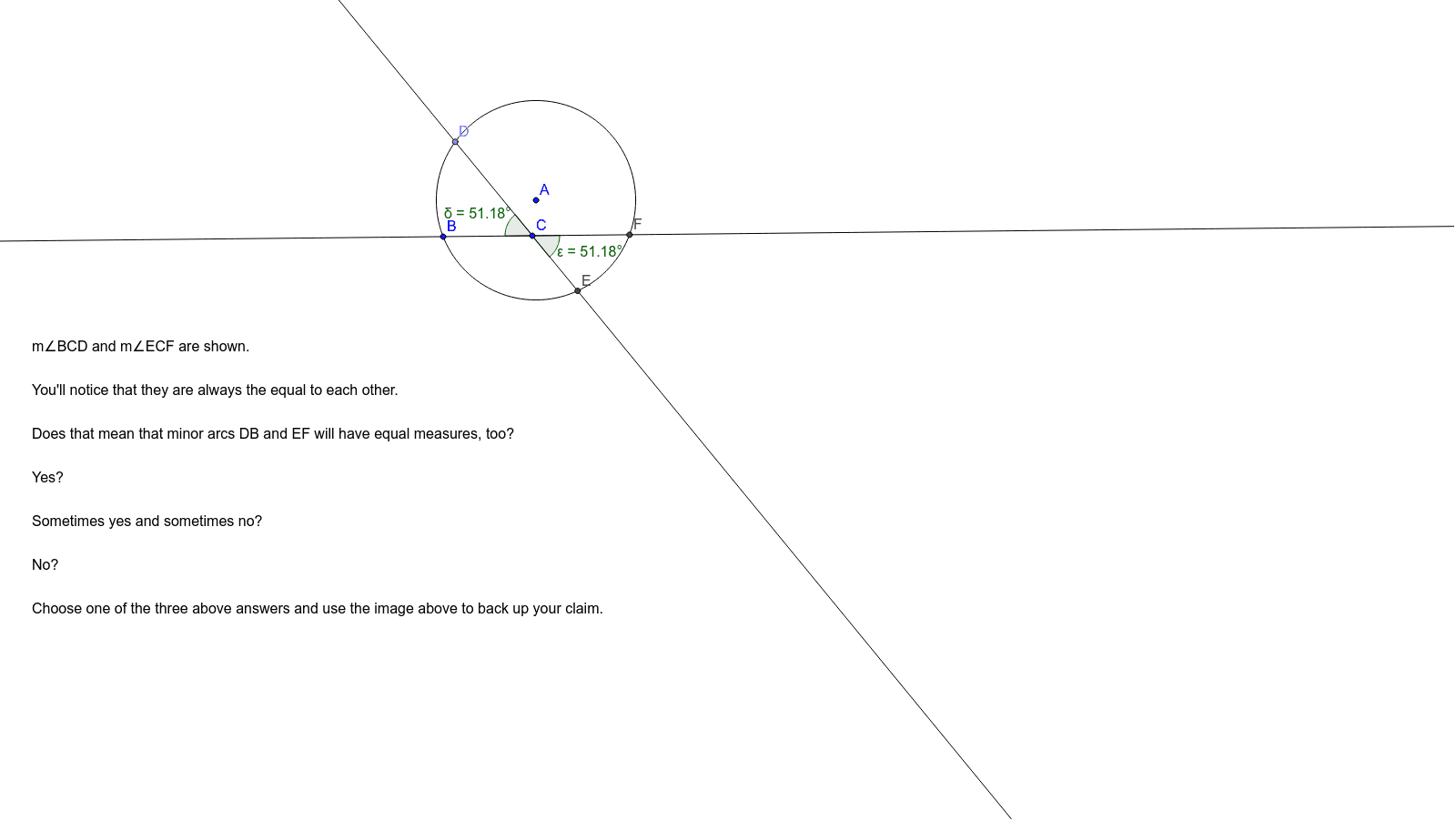
This interactive example allows students to explore the relationship between a circle and two lines. By observing the relationship between angles and arc measures, students can make conjectures. The example uses commands such as point, line, intersection, and angle in GeoGebra, suitable for middle school and above students for geometric construction and exploration.
GeoGebra Commands & Parameters
Circle(A, B) → cPoint(c) → DLine(C, D) → aLine(C, B) → bIntersect(c, a, 2) → EIntersect(c, b, 2) → FAngle(B, C, D) → αAngle(D, A, B) → βAngle(F, A, E) → γAngle(D, C, B) → δAngle(E, C, F) → ε
AI Drawing Prompt Reference
Draw a circle, then select two points A and B on the circle. Draw a line l1 through point A and a line l2 through point B. Find the intersection points E and F of these lines with the circle. Measure the angles ∠ACB, ∠BDA, ∠EAF, and ∠BCF.
The prompt above was compiled from the original drawing commands and is for reference only.