
Characteristics of a Kite
Loading the math board and drawing, please wait…
In collections
Properties of Trapezoids and Kites
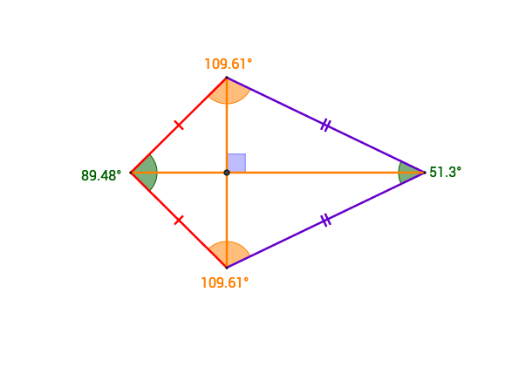
This example dynamically demonstrates the geometric properties of a kite using GeoGebra, covering core concepts like polygons, angles, circles, dilation, incircle, and statistics. It constructs the kite using commands such as Segment, Circle, Intersect, and Angle, suitable for middle school students and math enthusiasts exploring geometric transformations and statistical applications.
GeoGebra Commands & Parameters
Segment(A, B) → fSegment(B, C) → gCircle(A, Segment[B, A]) → cCircle(C, Segment[B, C]) → dIntersect(c, d, 2) → DSegment(A, D) → hSegment(D, C) → iSegment(B, D) → jSegment(A, C) → kIntersect(j, k) → EAngle(A, B, C) → αAngle(B, C, D) → βAngle(C, D, A) → γAngle(D, A, B) → δSegment(A, C) → lSegment(B, D) → mAngle(C, E, B) → ε
AI Drawing Prompt Reference
Draw a kite ABCD with points A, B, C, and D as vertices. First, draw line segments AB and BC. Then, draw circles with centers at A and B and radius AB, and find their intersection point D. Next, draw line segments AD, DC, BD, and AC to connect the corresponding vertices. Finally, measure the angles ABC, BCD, CDA, and DAB.
The prompt above was compiled from the original drawing commands and is for reference only.