
Cards Distribution for Probability
Loading the math board and drawing, please wait…
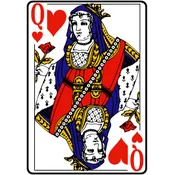
This example demonstrates the distribution of cards in probability. It involves core concepts of probability and statistics, using a series of GeoGebra commands such as sequence, element, and condition filtering to dynamically show the distribution of cards. Suitable for high school math education and students learning probability and statistics.
GeoGebra Commands & Parameters
Sequence(Random[1, 52 - k], k, 0, n - 1) → liste1Sequence(k, k, 1, 52) → liste2Element(liste1, 1) → carte1KeepIf(x ≠ carte1, liste2) → liste3Element(liste3, Element[liste1, 2]) → carte2KeepIf(x ≠ carte2, liste3) → liste4Element(liste4, Element[liste1, 3]) → carte3KeepIf(x ≠ carte3, liste4) → liste5Element(liste5, Element[liste1, 4]) → carte4Mod(carte1, 13) → A1Mod(carte2, 13) → B1Mod(carte3, 13) → C1Mod(carte4, 13) → D1Sum(B3:B8) → B9Element(cartes, carte1) → Cart1Vector(A, B) → uTranslate(Element[cartes, carte2], u) → Cart2Translate(Element[cartes, carte3], Vector[2 * u]) → Cart3Translate(Element[cartes, carte4], Vector[3 * u]) → Cart4KeepIf(x ≠ carte4, liste5) → liste6Element(liste6, Element[liste1, 5]) → carte5Translate(Element[cartes, carte5], Vector[4 * u]) → Cart5Mod(carte5, 13) → E1Sum(F3:F12) → F13
AI Drawing Prompt Reference
Draw a distribution of five cards from a deck. Randomly select four cards one by one, removing each card from the remaining deck before selecting the next. Categorize each card by suit and number, then arrange the five cards in a rectangular layout.
The prompt above was compiled from the original drawing commands and is for reference only.