
Cannon Battle (vs CPU)
Loading the math board and drawing, please wait…
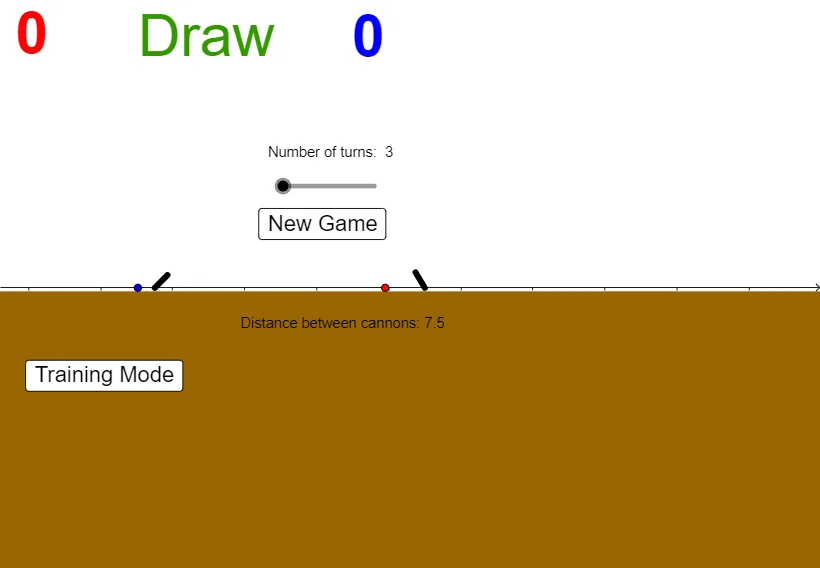
This example simulates a cannon battle against the CPU. Key mathematical concepts include parabolic trajectories, angles, and vectors. Using GeoGebra commands like Intersect, Rotate, and Angle, the trajectory of the cannonball and angle adjustments are constructed. Suitable for high school mathematics education, particularly for coordinate geometry and trigonometry.
GeoGebra Commands & Parameters
Intersect(k_{4}, xAxis) → G_{1}, I_1Rotate(B, θ, C) → B'Angle(B, C, B') → βRotate(D, θ, Z) → D'Angle(D, Z, D') → αRotate(E, θ, F) → E'Angle(E, F, E') → γPoint(yAxis) → HIf(t ≟ r, L = (c, d)) → jIf(t ≟ r, L = (c, d)) → k_{3}Rotate(G_{2}, (-θ_{2}), E_{2}) → JAngle(J, E_{2}, G_{2}) → δRotate(G_{2}, (-(90°)), E_{2}) → OAngle(O, E_{2}, G_{2}) → εRay(E_{2}, J) → qCircleArc(E_{2}, J, G_{2}) → sSegment(E_{2}, J) → f_1Point(Circle[P, 10.091627841019832]) → QOrthogonalLine(F, xAxis) → g_1Ray(F, E') → h_1Point(g_1) → ICircleArc(F, G, I) → eIntersect(e, h_1) → K,Segment(F, K) → i_1Point(i_1) → MPoint(i_1) → NPoint(xAxis) → TPoint(xAxis) → UPoint(f_1) → VPoint(f_1) → WPoint(xAxis) → A_1Point(xAxis) → B_1Point(Circle[C_1, 70]) → D_1Polygon(C_1, D_1, E_1, F_1) → q1, c_1, d_1, e_1, f_3RandomElement({40, 45, 50}) → oRandom(9, 15) → a_{2}
AI Drawing Prompt Reference
Draw a cannon battle scene simulating a game against the CPU, featuring parabolic trajectories, angle adjustments, and vector relationships. Start with coordinate axes and a cannon, then calculate and draw the trajectory of a cannonball using rotations and angles. Add intersection points with the axes, and represent the cannon and trajectory with arcs and segments to complete the scene.
The prompt above was compiled from the original drawing commands and is for reference only.