
Calculating Areas of Right Triangles
Loading the math board and drawing, please wait…
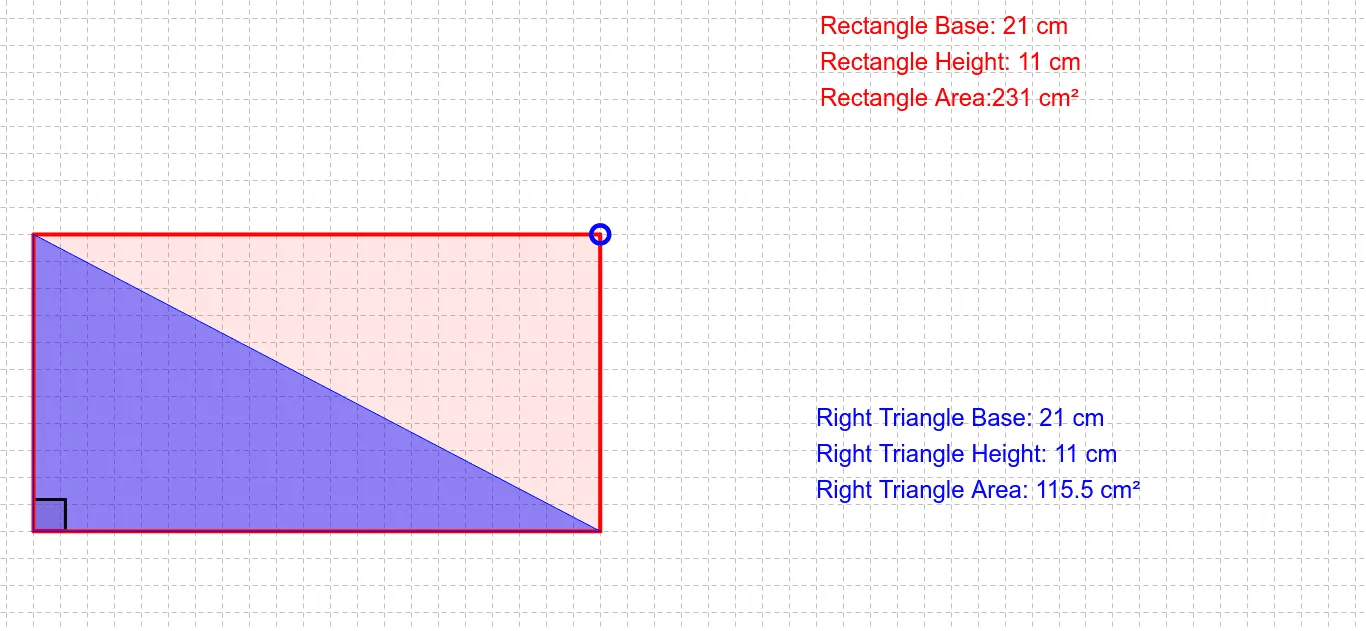
This example demonstrates how to calculate the area of a right triangle using GeoGebra. Key mathematical concepts include the properties of right triangles and the area formula. By constructing a right triangle and using the Polygon command to draw a polygon, students can visually understand the method of area calculation. Suitable for middle school and above students to learn geometric construction and area calculation.
GeoGebra Commands & Parameters
Polygon((0, 0), (x(A), 0), A, (0, y(A))) → poly1, b, c, a_1, dPolygon((0, 0), (x(A), 0), (0, y(A))) → poly2, a, e, fAngle(B, D, C) → αAngle(C, D, B) → β
AI Drawing Prompt Reference
Draw a right triangle with the right angle at the origin, point A on the x-axis, and point B on the y-axis. Use the polygon command to draw the triangle and calculate its area. Pay attention to angles α and β.
The prompt above was compiled from the original drawing commands and is for reference only.