
Biased Dice Rolling Simulation Experiment
Loading the math board and drawing, please wait…
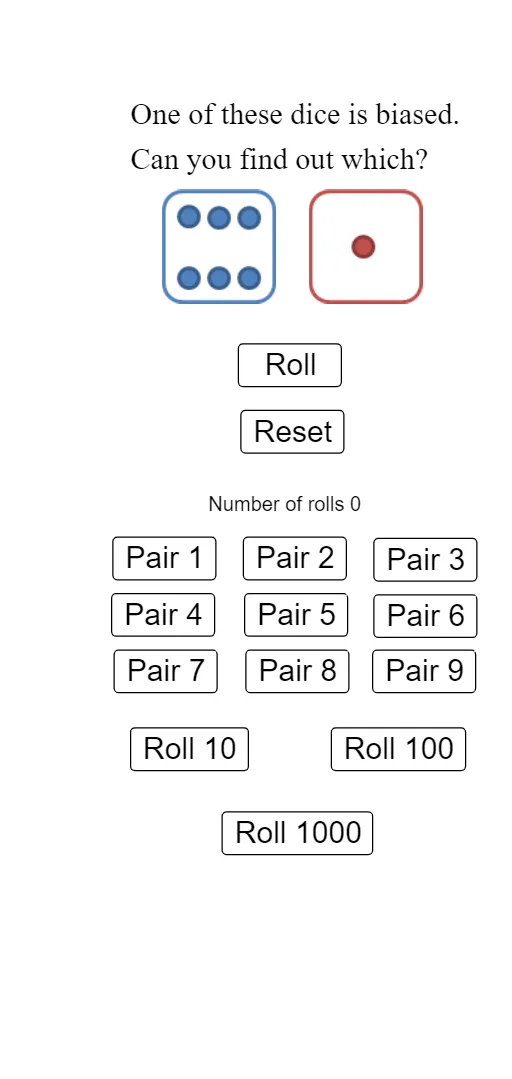
① This interactive GeoGebra example demonstrates the statistical distribution of outcomes when rolling a biased die (where each face has unequal probability) over many trials. ② Core mathematical concepts include probability, random variables, frequency distribution, expected value, arithmetic mean, and bar chart representation, along with fractions and basic set theory. ③ Construction highlights: uses RandomElement to generate random rolls, Frequency to count occurrences of each face, Length to obtain sample size; draws dice faces and statistical charts using Segment, Point, and Polygon; employs multiple buttons (button1, button2) to reset or accumulate simulations; objects include lists l1-l6, variables a, b, c, numerous text elements (text1-text17) and images (pic1-pic12) for the interface. ④ Suitable for middle school or introductory statistics courses, this tool helps students understand random experiments, the relationship between frequency and probability, and how biased distributions affect expected values, serving as an effective classroom demonstration for probability simulation.
GeoGebra Commands & Parameters
RandomElement(l6) → bRandomElement(l1) → aFrequency({1, 2, 3, 4, 5, 6, 7}, l2) → l4Frequency({1, 2, 3, 4, 5, 6, 7}, l3) → l5Length(l2) → cSegment(A, B) → fSegment(A, C) → gPoint(f) → DPoint(f) → EPoint(f) → FPoint(f) → GPoint(f) → HSegment(I, J) → hSegment(I, K) → iPoint(h) → LPoint(h) → MPoint(h) → NPoint(h) → OPoint(h) → PPoint((10, -8 + (Take[l4, 1, 1] * 10 / c))) → QPoint((11, -8 + (Take[l4, 1, 1] * 10 / c))) → RPoint((11, -8 + (Take[l4, 2, 2] * 10 / c))) → SPoint((12, -8 + (Take[l4, 2, 2] * 10 / c))) → TPoint((13, -8 + (Take[l4, 3, 3] * 10 / c))) → VPoint((12, -8 + (Take[l4, 3, 3] * 10 / c))) → UPoint((13, -8 + (Take[l4, 4, 4] * 10 / c))) → WPoint((14, -8 + (Take[l4, 4, 4] * 10 / c))) → ZPoint((14, -8 + (Take[l4, 5, 5] * 10 / c))) → A_1Point((15, -8 + (Take[l4, 5, 5] * 10 / c))) → B_1Point((15, -8 + (Take[l4, 6, 6] * 10 / c))) → C_1Point((16, -8 + (Take[l4, 6, 6] * 10 / c))) → D_1Polygon(A, Q, R, D) → q1, a_1, q, r, dPolygon(D, S, T, E) → q2, d_1, s, t, ePolygon(U, V, F, E) → q3, u, v, f_1, e_1Polygon(W, Z, G, F) → q4, w, z_1, g_1, f_2Polygon(G, A_1, B_1, H) → q5, g_2, j, b_1, h_1Polygon(H, C_1, D_1, B) → q6, h_2, c_1, k, b_2Point((17, -8 + (Take[l5, 1, 1] * 10 / c))) → E_1Point((18, -8 + (Take[l5, 1, 1] * 10 / c))) → F_1Point((18, -8 + (Take[l5, 2, 2] * 10 / c))) → G_1Point((19, -8 + (Take[l5, 2, 2] * 10 / c))) → H_1Point((19, -8 + (Take[l5, 3, 3] * 10 / c))) → I_1Point((20, -8 + (Take[l5, 3, 3] * 10 / c))) → J_1Point((20, -8 + (Take[l5, 4, 4] * 10 / c))) → K_1Point((21, -8 + (Take[l5, 4, 4] * 10 / c))) → L_1Point((21, -8 + (Take[l5, 5, 5] * 10 / c))) → M_1Point((22, -8 + (Take[l5, 5, 5] * 10 / c))) → N_1Point((22, -8 + (Take[l5, 6, 6] * 10 / c))) → O_1Point((23, -8 + (Take[l5, 6, 6] * 10 / c))) → P_1Polygon(I, E_1, F_1, L) → q7, i_1, l, m, l_1Polygon(L, G_1, H_1, M) → q8, l_2, n, p, m_1Polygon(M, I_1, J_1, N) → q9, m_2, j_1, k_1, n_1Polygon(N, K_1, L_1, O) → q10, n_2, p_1, q_1, oPolygon(O, M_1, N_1, P) → q11, o_1, r_1, s_1, p_2Polygon(P, O_1, P_1, J) → q12, p_3, t_1, i_2, j_2
AI Drawing Prompt Reference
Draw a biased die with six faces, each represented by a rectangle. Next to the die, draw a bar chart to show the frequency of each face. Use a random function to generate the die's random roll results and update the bar chart accordingly. Draw six rectangles to represent the six faces of the die, with each rectangle's width and height dynamically adjusted based on the roll results and frequency.
The prompt above was compiled from the original drawing commands and is for reference only.