
Beyond 2π: A Circle-and-Rotation Angle Construction
Loading the math board and drawing, please wait…
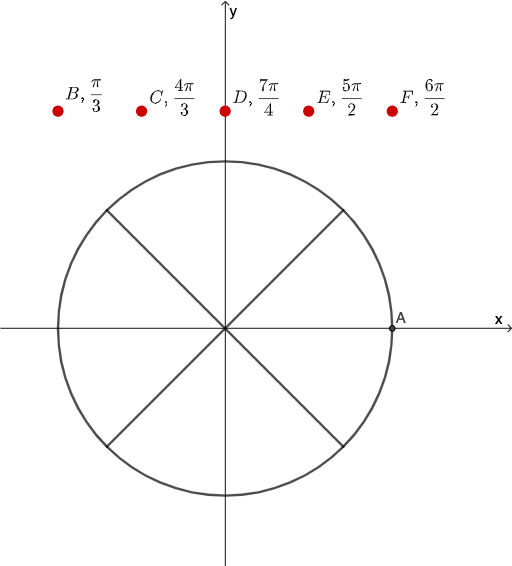
This GeoGebra example demonstrates how to construct and visualize an angle that moves beyond 2π (past a full revolution) using pure geometric transformations. It highlights the geometric meaning of angular measure and periodicity, using circle geometry together with rotation to track corresponding points and the resulting angle relationships. Key concepts include circle/central-angle reasoning, angle measurement with full-turn behavior, and the effect of Rotation on point positions and angle preservation (often connected to similar-triangle style arguments and slope/difference viewpoints). Construction uses GeoGebra commands: Circle to build the circle (object c), Intersect to locate key intersection points (points like A, B, C and derived points such as B'), Rotate to generate rotated counterparts (including B′ and B′₁), Angle to measure/label the relevant angles (α and β), and Line/Segment to draw supporting lines and segments. The construction includes multiple helper objects/points (e.g., D–G, H–L, and intermediates such as h, i, plus the measured/related objects α, β). Suitable for secondary-to-intro-college geometry and trigonometry lessons on angle periodicity and geometric transformation-based reasoning.
GeoGebra Commands & Parameters
Circle((0, 0), 1) → cIntersect(c, xAxis) → A, BRotate(B, 45°, C) → B'Angle(B, C, B') → αRotate(B, (-(45°)), C) → B'_{1}Angle(B'_{1}, C, B) → βLine(C, B') → fLine(C, B'_{1}) → gIntersect(c, g) → D, EIntersect(c, f) → F, GSegment(B', F) → hSegment(B'_{1}, D) → i
AI Drawing Prompt Reference
Draw a unit circle centered at the origin with its horizontal diameter intersecting the circle at two points. From the center, rotate the right endpoint by +45 degrees and -45 degrees to create two rotated points. Draw two rays from the center through these rotated points, each intersecting the circle again at new points. Connect each rotated point to its corresponding new intersection with a segment, forming two chords. Finally, mark two angles at the center: one from the right endpoint counterclockwise to the positive rotated point, and the other from the negative rotated point clockwise back to the right endpoint, both equal in magnitude but opposite in direction.
The prompt above was compiled from the original drawing commands and is for reference only.