
Balance Scale Equation Addition Practice
Loading the math board and drawing, please wait…
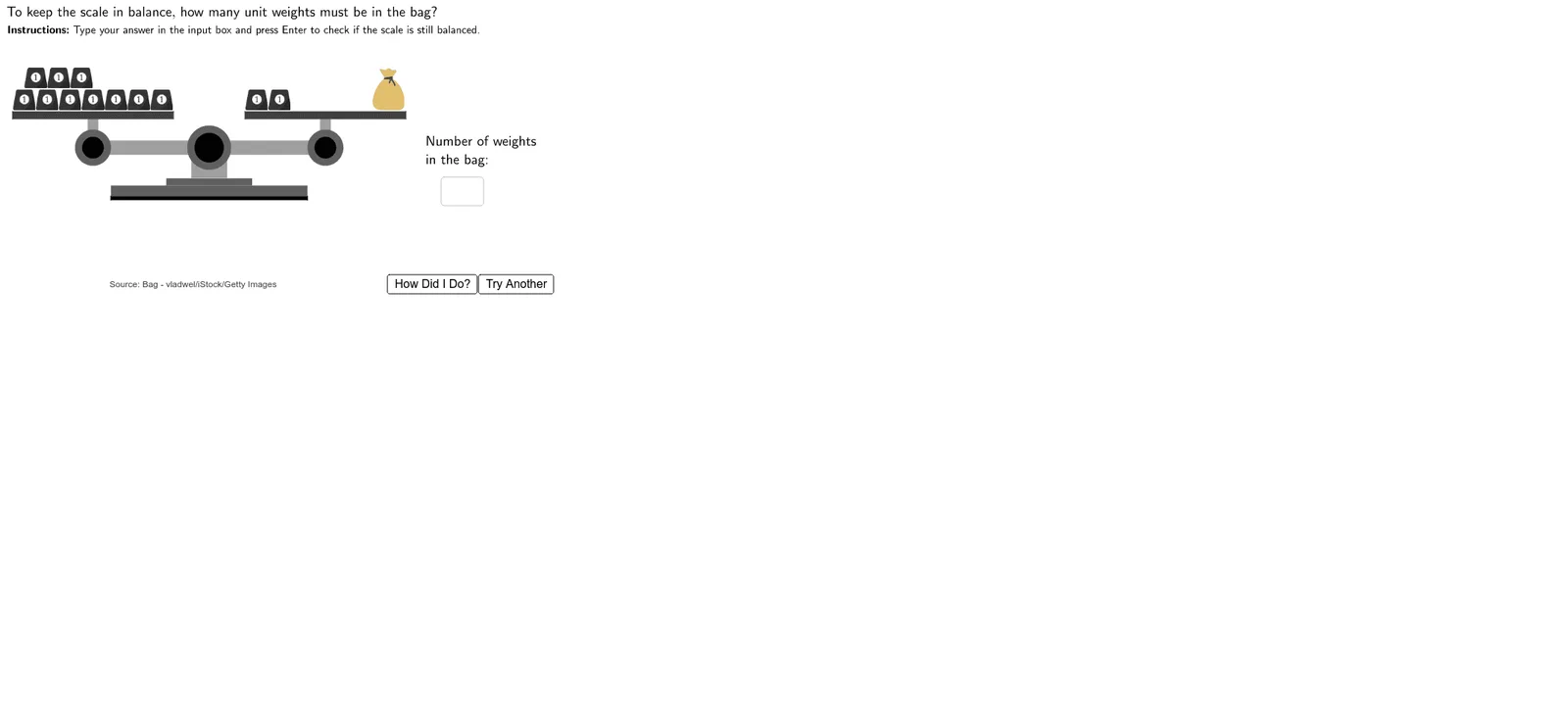
This interactive GeoGebra example demonstrates the concept of addition in equations using a balance scale model. Users add or move weights on both sides of the scale to observe how the equation remains balanced when the same amount is added to both sides, reinforcing the fundamental property of equality. Core mathematical concepts include properties of equality, addition operations, and algebraic thinking. The construction uses GeoGebra commands such as Textfield, InputBox for user input, Polygon and Circle to draw the scale and weights, Random to generate random problems, and Move/ScaleBottom objects to enable dragging and scaling of weights. Interactive buttons like TryAnother and HowDidIDo provide feedback. Suitable for upper elementary to middle school students, this tool helps visualize equation solving and transformation, and serves as an effective classroom demonstration for teachers.
GeoGebra Commands & Parameters
Textfield(Usertext) → InputBox1Polygon((2.75, 1.95), (2.75, 2.05), (8.25, 2.05), (8.25, 1.95)) → ScaleBottom1, f, g, h, iPolygon((4.3, 2.35), (4.3, 2.55), (6.7, 2.55), (6.7, 2.35)) → ScaleBottom3, n, p, q, rPolygon((5, 2.55), (5, 3.25), (6, 3.25), (6, 2.55)) → ScaleBottom4, s, t, d, ePolygon((2.75, 2.05), (2.75, 2.35), (8.25, 2.35), (8.25, 2.05)) → ScaleBottom2, j, k, l, mPolygon(Left + (0, 0.2), Left - (0, 0.2), Right - (0, 0.2), Right + (0, 0.2)) → ScaleArm, f_1, g_1, h_1, i_1Circle(Left, 0.5) → LeftArmCircle1Circle(Left, 0.3) → LeftArmCircle2Circle(Right, 0.5) → RightArmCircle1Circle(Right, 0.3) → RightArmCircle2Polygon(Left - (0.15, 0), Left + (0.15, 0), Left + (0.15, 0.8), Left + (-0.15, 0.8)) → LeftArmStand, j_1, k_1, l_1, m_1Polygon(Right - (0.15, 0), Right + (0.15, 0), Right + (0.15, 0.8), Right + (-0.15, 0.8)) → RightArmStand, n_1, p_1, q_1, r_1Polygon(Left + (-2.25, 0.8), Left + (-2.25, 1), Left + (2.25, 1), Left + (2.25, 0.8)) → LeftTray, s_1, t_1, a_1, b_1Polygon(Right + (-2.25, 0.8), Right + (-2.25, 1), Right + (2.25, 1), Right + (2.25, 0.8)) → RightTray, c_1, d_1, e_1, f_2Circle((5.5, 3.4), 0.6) → ScaleBottom5Circle((5.5, 3.4), 0.4) → ScaleBottom6Random(1, 2) → numorderRandom(1, 2) → sideorder