
Axis of Rotation Construction
Loading the math board and drawing, please wait…
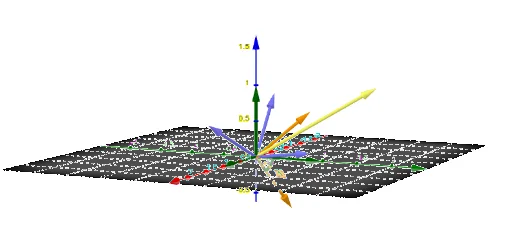
This example demonstrates the construction of the axis of rotation. Key mathematical concepts include rotation, vector, and coordinate geometry. Using GeoGebra commands such as Rotate, Vector, and Point, the axis of rotation can be constructed. Suitable for high school geometry and solid geometry education.
GeoGebra Commands & Parameters
Rotate(L, α, zAxis) → L'Vector(L'(1)) → NRotate(xyPlane, β, Line[(0, 0, 0), Vector[N + (0, 0, 0)]]) → xyPlane'Rotate(L', β, Line[(0, 0, 0), (0, 0, 0) + N]) → L''Angle(Vector[L(1)], Vector[L'(1)]) → δRotate(L'', γ, OrthogonalLine[(0, 0, 0), xyPlane']) → L'''Angle(Vector[L'(3)], Vector[L''(3)]) → εAngle(Vector[L'(1)], Vector[L'''(1)]) → ζTranspose({x(L'''), y(L'''), z(L''')}) → QPoint(First[(Q - (1.0001 * Identity[3]))^(-1)]) → PRotate(L, s, Line[(0, 0, 0), (0, 0, 0) + v]) → L'_1
AI Drawing Prompt Reference
Construct the axis of rotation. Given a plane and a vector, first rotate the vector to get a new vector N, then rotate the plane and vector to get new plane and vector, calculate the rotation angle, and finally rotate and calculate to get the axis P.
The prompt above was compiled from the original drawing commands and is for reference only.