
Areas of Inscribed and Circumscribed Polygons of the Unit Circle
Loading the math board and drawing, please wait…
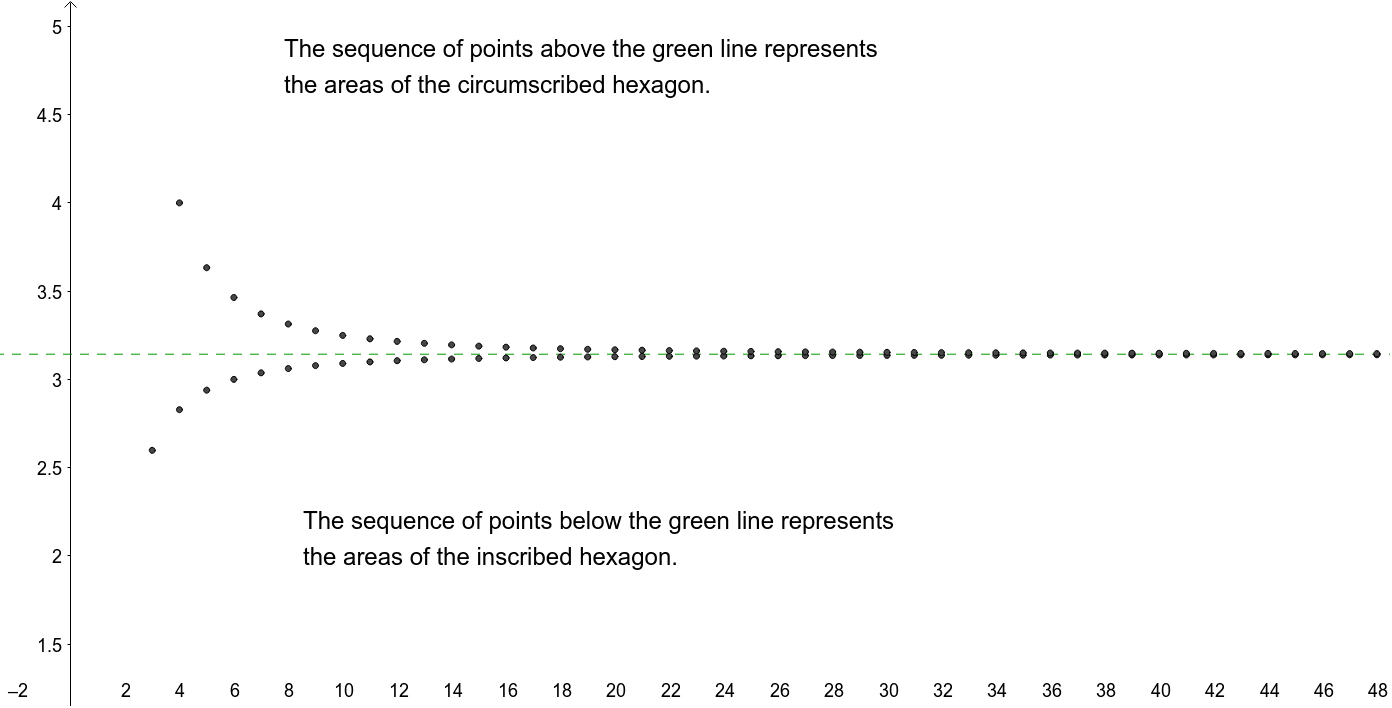
This example demonstrates the changing areas of inscribed and circumscribed polygons within a unit circle, involving core concepts like polygon area, circle angles, trigonometry, and limits. It uses the Sequence command to generate vertices and objects like f, g, list1, A1-A36 for polygon construction, suitable for high school mathematics education to explore limit ideas and geometric constructions.
GeoGebra Commands & Parameters
Sequence(f(n), n, 1, 100) → list1
AI Drawing Prompt Reference
Within a unit circle, use a sequence command to generate vertices and draw inscribed and circumscribed polygons sequentially, showing how the area of polygons approaches the circle's area as the number of sides increases, illustrating the concept of limits. Start from a triangle and progress to a 100-sided polygon, observing the changing areas of the inscribed and circumscribed polygons, and label the unit circle and each polygon to highlight the relationship between geometric construction and trigonometry.
The prompt above was compiled from the original drawing commands and is for reference only.