
Area Unit Conversion
Loading the math board and drawing, please wait…
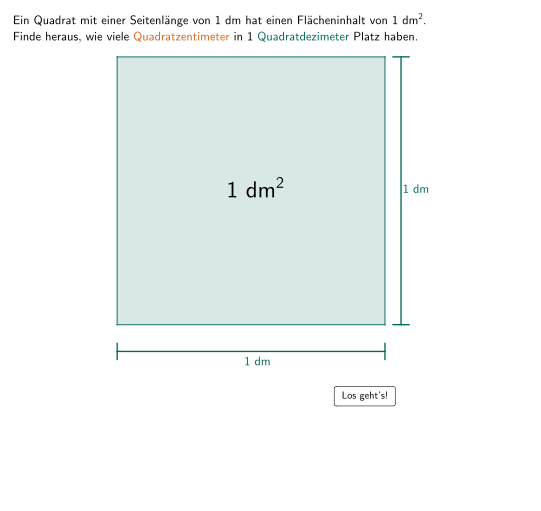
This example demonstrates area unit conversion, involving the core mathematical concept of area unit conversion. Using GeoGebra commands such as Intersect, Sequence, Point, etc., a dynamic model of area unit conversion can be constructed. Suitable for 5-6 grade students to learn area unit conversion.
GeoGebra Commands & Parameters
Intersect(xAxis, yAxis) → ASequence(Segment[(i, 0), (i, 1)], i, 0, 10, 1) → l3Point(l3) → N_1Point(l3) → M_1Point(l3) → L_1Point(xAxis) → BPoint(yAxis) → CPolygon(C, D, B, A) → q1, c, d, b, aPoint(xAxis) → FSegment(E, F) → fSegment(G, H) → gSegment(I, J) → hPoint(yAxis) → KSegment(K, L) → iSegment(N, P) → kSegment(M, O) → jPolygon(Q, R, S, T) → q2, q, r, s, tSegment(U, V) → lSegment(Z, W) → mSegment(A_1, B_1) → nSegment(C_1, D_1) → pSegment(F_1, E_1) → eSegment(H_1, G_1) → f_1Intersect(c, a) → U_2Intersect(b, a) → V_2Segment(U_2, V_2) → f_2Intersect(c, d) → W_2Segment(U_2, W_2) → g_2Intersect(d, b) → Z_2Segment(W_2, Z_2) → h_2Segment(V_2, Z_2) → i_2Point(yAxis) → B_3Intersect(b, a) → W_3Intersect(d, b) → Z_3Polygon(C, D, B, A) → q4, c_3, d_2, b_3, a_3Sequence(Segment[(i, 0), (i, 10)], i, 0, 10, 1) → l1Sequence(Segment[(0, i), (10, i)], i, 0, 10, 1) → l2Point(a) → I_1Point(d) → J_1Point(l3) → K_1Polygon(O_1, L_1, M_1, N_1) → q3, g_1, h_1, i_1, j_1Point(xAxis) → Q_1Point(yAxis) → R_1Segment(P_1, Q_1) → k_1Segment(R_1, S_1) → l_1Segment(P_2, P_3) → m_1Segment(Q_2, Q_3) → n_1Segment(S_2, S_3) → p_1Segment(R_2, R_3) → q_1Sequence(Segment[(0, i), (1, i)], i, 0, 1, 0.1) → l4Sequence(Segment[(i, 0), (i, 1)], i, 0, 1, 0.1) → l5Sequence(Segment[(0, i), (10, i)], i, 0, 10, 0.1) → l6Sequence(Segment[(i, 0), (i, 10)], i, 0, 10, 0.1) → l7Textfield(aInput) → InputBox1Polygon((0, 0), (1, 0), (1, 1), (0, 1)) → q5, r_1, s_1, t_1, a_1Polygon((-3, 4.9), (-2.9, 4.9), (-2.9, 5), (-3, 5)) → q6, b_1, c_1, d_1, e_1Textfield(bInput) → InputBox2Textfield(cInput) → InputBox3Textfield(dInput) → InputBox4Textfield(eInput) → InputBox5
AI Drawing Prompt Reference
Draw a coordinate plane to demonstrate area unit conversion. Create multiple parallel line segments on the x and y axes and place points at their intersections. Construct several polygons using these points to show the relationship between different area units. Dynamically adjust the lengths and positions of the line segments to illustrate the process of area unit conversion.
The prompt above was compiled from the original drawing commands and is for reference only.